
Table of Contents
HTML and WebSockets: Real-Time Web Communication Basics
Introduction
Picture this: you’re using an online chat application, and messages appear instantly without refreshing the page. Or you’re watching a live sports dashboard where scores update in real-time. Behind these seamless experiences lies a powerful technology called WebSockets—a game-changing protocol that enables true bidirectional communication between browsers and servers.
Unlike traditional HTTP communication that follows a request-response model, WebSockets create a persistent connection that allows data to flow freely in both directions. For web developers building modern applications, understanding WebSockets isn’t just beneficial—it’s essential. In this comprehensive guide, we’ll explore everything you need to know about HTML and WebSockets, from basic concepts to practical implementation, security considerations, and real-world applications that will transform how you build interactive web experiences.
You might also want to learn about HTML Drag and Drop API.
Quick Takeaways
- WebSockets enable full-duplex, bidirectional communication over a single persistent connection, eliminating the need for continuous HTTP polling
- The protocol upgrades from HTTP to WebSocket through a handshake process, maintaining compatibility with existing web infrastructure
- WebSocket connections offer significantly lower latency (2-5ms vs 50-100ms for polling) and reduced bandwidth consumption compared to traditional methods
- Security best practices include using WSS (WebSocket Secure), implementing proper authentication mechanisms, and validating all incoming data
- Real-world applications span live chat systems, multiplayer games, collaborative editing tools, financial dashboards, and IoT device communication
- Browser support is universal across all modern browsers, with the WebSocket API providing a straightforward JavaScript interface
- Performance benefits scale dramatically with high-frequency updates, making WebSockets ideal for applications requiring instant data synchronization
What Are WebSockets and Why Do They Matter?
Understanding the WebSocket Protocol
WebSockets represent a fundamental shift in how web applications communicate. Defined in RFC 6455 and introduced as part of the HTML5 specification, the WebSocket protocol provides a standardized way for browsers and servers to establish a persistent, full-duplex communication channel over a single TCP connection.
Traditional HTTP operates on a request-response paradigm where the client must initiate every interaction. The server cannot proactively send data to the client without first receiving a request. This model works perfectly for static content delivery but becomes inefficient and cumbersome for applications requiring real-time updates.
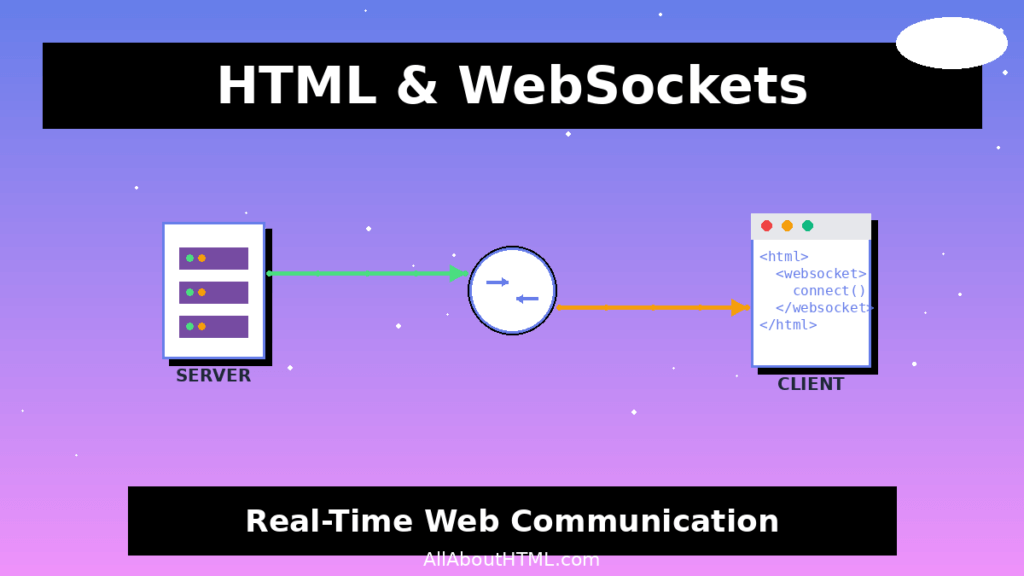
WebSockets solve this fundamental limitation by maintaining an open connection where both client and server can send messages independently at any time. Once established, the connection stays alive, allowing instant bidirectional data exchange without the overhead of repeatedly opening and closing connections.
The Evolution from HTTP Polling to WebSockets
Before WebSockets, developers relied on workarounds like HTTP polling, long polling, and AJAX to simulate real-time communication. Each approach had significant drawbacks:
Short Polling involves the client repeatedly sending HTTP requests to the server at fixed intervals (e.g., every 2-5 seconds) to check for updates. While simple to implement, this creates massive overhead—most requests return no new data, wasting bandwidth and server resources. Users experience noticeable delays between when data changes on the server and when their client receives it.
Long Polling improves upon short polling by having the server hold the request open until new data becomes available or a timeout occurs. This reduces unnecessary requests but still requires establishing a new HTTP connection for each update, consuming server resources and adding latency.
AJAX and Comet techniques attempted to address these issues but introduced complexity in implementation and still suffered from HTTP protocol overhead. Each request includes full HTTP headers (often hundreds of bytes), authentication credentials, and requires TCP connection setup.
WebSockets emerged in 2011 as a purpose-built solution. By maintaining a single persistent connection with minimal protocol overhead (just 2-6 bytes per frame after the initial handshake), WebSockets deliver true real-time communication that scales efficiently.
How WebSockets Work: The Technical Foundation
The WebSocket Handshake Process
The WebSocket connection lifecycle begins with an HTTP handshake—a clever design choice that ensures compatibility with existing web infrastructure including proxies, firewalls, and load balancers.
When a client wants to establish a WebSocket connection, it sends a standard HTTP request with special upgrade headers:
GET /chat HTTP/1.1
Host: example.com
Upgrade: websocket
Connection: Upgrade
Sec-WebSocket-Key: dGhlIHNhbXBsZSBub25jZQ==
Sec-WebSocket-Version: 13
Origin: https://example.com
The key elements of this handshake request include:
- Upgrade: websocket – Signals the client wants to change protocols
- Connection: Upgrade – Indicates connection state change
- Sec-WebSocket-Key – A randomly generated browser key ensuring the server supports WebSocket protocol
- Sec-WebSocket-Version – Current version is 13
- Origin – The page origin initiating the connection (security measure)
If the server supports WebSockets and agrees to the upgrade, it responds with:
HTTP/1.1 101 Switching Protocols
Upgrade: websocket
Connection: Upgrade
Sec-WebSocket-Accept: s3pPLMBiTxaQ9kYGzzhZRbK+xOo=
The 101 Switching Protocols status code confirms the protocol switch. The Sec-WebSocket-Accept header contains the encoded Sec-WebSocket-Key, cryptographically proving the server’s WebSocket capability. After this handshake completes successfully, the HTTP protocol stops being used entirely, and communication switches to the WebSocket binary frame-based protocol.
WebSocket vs HTTP: The Protocol Difference
Understanding the fundamental differences between WebSocket and HTTP illuminates why WebSockets excel at real-time communication:
Connection Model: HTTP is stateless and follows request-response cycles. Each interaction requires establishing a connection, sending headers, receiving a response, and closing the connection. WebSocket establishes one persistent, stateful connection that remains open for the session duration.
Communication Pattern: HTTP is half-duplex (one direction at a time) and requires the client to initiate all communication. WebSocket is full-duplex, allowing simultaneous bidirectional message exchange where both parties can send data independently.
Protocol Overhead: HTTP requests include substantial headers with each message—typically 200-2000 bytes per request/response cycle, including cookies, user agents, content types, and other metadata. After the initial WebSocket handshake, subsequent messages have minimal overhead (2-6 bytes per frame), dramatically reducing bandwidth consumption for high-frequency updates.
Latency Characteristics: HTTP polling introduces inherent latency—the time between when data changes and when the next poll occurs. Even with one-second polling intervals, average latency is 500ms. WebSocket provides near-instantaneous updates (typically 2-5ms for local networks, 20-50ms for internet connections) since the server pushes data immediately when available.
Resource Efficiency: For an application serving 10,000 users with updates every second, HTTP short polling would generate 10,000 requests per second, each with full HTTP overhead. WebSocket maintains 10,000 open connections but only transmits data when updates occur, using a fraction of the bandwidth and CPU resources.
Implementing WebSockets in HTML Applications
Creating Your First WebSocket Connection
The WebSocket API in modern browsers is remarkably straightforward. Here’s how to establish a basic connection:
<!DOCTYPE html>
<html lang="en">
<head>
    <meta charset="UTF-8">
    <meta name="viewport" content="width=device-width, initial-scale=1.0">
    <title>WebSocket Example</title>
</head>
<body>
    <h1>WebSocket Real-Time Communication</h1>
    <div id="status">Connecting...</div>
    <div id="messages"></div>
    <input type="text" id="messageInput" placeholder="Type your message">
    <button id="sendButton">Send Message</button>

    <script>
        // Create WebSocket connection using wss:// for secure connections
        const socket = new WebSocket('wss://example.com/socket');

        // Connection opened event
        socket.addEventListener('open', (event) => {
            document.getElementById('status').textContent = 'Connected';
            document.getElementById('status').style.color = 'green';
            console.log('WebSocket connection established');
        });

        // Listen for messages from server
        socket.addEventListener('message', (event) => {
            const messagesDiv = document.getElementById('messages');
            const messageElement = document.createElement('div');
            messageElement.textContent = `Received: ${event.data}`;
            messagesDiv.appendChild(messageElement);
        });

        // Handle connection errors
        socket.addEventListener('error', (event) => {
            console.error('WebSocket error:', event);
            document.getElementById('status').textContent = 'Error occurred';
            document.getElementById('status').style.color = 'red';
        });

        // Connection closed event
        socket.addEventListener('close', (event) => {
            document.getElementById('status').textContent = 'Disconnected';
            document.getElementById('status').style.color = 'orange';
            console.log('WebSocket connection closed', event);
        });

        // Send message to server
        document.getElementById('sendButton').addEventListener('click', () => {
            const input = document.getElementById('messageInput');
            const message = input.value;

            if (message && socket.readyState === WebSocket.OPEN) {
                socket.send(message);
                input.value = '';
                console.log('Message sent:', message);
            }
        });
    </script>
</body>
</html>
Understanding WebSocket States and Events
The WebSocket API defines four connection states accessible through the readyState property:
- CONNECTING (0) – Connection hasn’t been established yet
- OPEN (1) – Connection is established and ready for communication
- CLOSING (2) – Connection is in the process of closing
- CLOSED (3) – Connection is closed or couldn’t be opened
Four main events drive WebSocket communication:
onopen – Fires when the WebSocket connection successfully establishes. This is when you should start sending messages or initialize your application state. Always check socket.readyState === WebSocket.OPEN before sending data.
onmessage – Triggers whenever the server sends data. The event.data property contains the received message, which can be text (string) or binary data (Blob or ArrayBuffer). Your handler should parse and process this data appropriately.
onerror – Called when an error occurs during communication. While this provides notification, it doesn’t offer detailed error information—you’ll typically need to implement logging and monitoring to track WebSocket errors in production.
onclose – Fires when the connection closes, either cleanly or due to an error. The event object includes code and reason properties explaining why the connection closed. Common close codes include 1000 (normal closure), 1006 (abnormal closure), and 1008 (policy violation).
Sending and Receiving Different Data Types
WebSockets support both text and binary data transmission:
Sending Text Data:
// Send plain text
socket.send("Hello, Server!");

// Send JSON data (serialize first)
const data = { type: 'chat', message: 'Hello', user: 'Alice' };
socket.send(JSON.stringify(data));
Receiving and Parsing Messages:
socket.addEventListener('message', (event) => {
    try {
        // Attempt to parse as JSON
        const data = JSON.parse(event.data);
        console.log('Parsed data:', data);

        // Handle different message types
        switch(data.type) {
            case 'chat':
                displayChatMessage(data);
                break;
            case 'notification':
                showNotification(data);
                break;
            default:
                console.log('Unknown message type');
        }
    } catch (error) {
        // Handle non-JSON messages
        console.log('Plain text message:', event.data);
    }
});
Binary Data Transmission:
// Sending binary data
const arrayBuffer = new ArrayBuffer(8);
socket.send(arrayBuffer);

// Receiving binary data
socket.binaryType = 'arraybuffer'; // or 'blob'
socket.addEventListener('message', (event) => {
    if (event.data instanceof ArrayBuffer) {
        // Process binary data
        const view = new Uint8Array(event.data);
        console.log('Binary data received:', view);
    }
});
WebSocket Security: Best Practices and Implementation
Using WebSocket Secure (WSS) Protocol
Security should be your top priority when implementing WebSockets. The WebSocket protocol exists in two forms: ws:// (unencrypted) and wss:// (WebSocket Secure, encrypted via TLS).
Never use ws:// in production environments. Unencrypted WebSocket connections expose all transmitted data to interception via man-in-the-middle attacks. Anyone on the same network can read messages, steal authentication tokens, and potentially inject malicious data.
Always use wss:// which encrypts communication using Transport Layer Security (TLS), just like HTTPS protects HTTP traffic. This ensures:
- Confidentiality – Data remains encrypted in transit
- Integrity – Messages cannot be tampered with undetected
- Authentication – Verifies server identity through certificates
- Firewall Compatibility – Encrypted traffic typically passes through corporate firewalls more reliably
Implementation is straightforward—simply use the wss:// protocol in your WebSocket URL:
// Secure connection
const socket = new WebSocket('wss://example.com/socket');

// Never use in production:
// const socket = new WebSocket('ws://example.com/socket');
Authentication and Authorization Strategies
WebSocket connections don’t include built-in authentication mechanisms, placing the responsibility on developers to implement secure access control. Several proven strategies exist:
Token-Based Authentication – The most common and recommended approach involves passing authentication tokens during connection establishment. Generate a short-lived token from your HTTP server, then include it in the WebSocket connection:
// Client obtains token from HTTP API
const authToken = await fetchAuthToken();

// Include token in WebSocket URL (query parameter method)
const socket = new WebSocket(`wss://example.com/socket?token=${authToken}`);

// Alternative: Send token as first message
socket.addEventListener('open', () => {
    socket.send(JSON.stringify({
        type: 'auth',
        token: authToken
    }));
});
Session-Based Authentication – Leverage existing HTTP session cookies. When the WebSocket handshake occurs, browsers automatically include cookies for the domain. The server validates the session before upgrading to WebSocket:
// WebSocket inherits authentication from HTTP session
const socket = new WebSocket('wss://example.com/socket');
// Server validates session cookie during handshake
Ticket-Based Systems – Generate single-use “tickets” that authorize specific WebSocket connections:
- Client requests ticket from HTTP server (authenticated endpoint)
- Server generates unique ticket, stores it with user ID and expiration
- Client opens WebSocket with ticket
- Server validates ticket, removes it (single-use), upgrades connection
- All subsequent messages are authenticated by established connection
Protecting Against Common Vulnerabilities
Cross-Site WebSocket Hijacking (CSWSH) occurs when an attacker tricks a user’s browser into opening a WebSocket connection to your server from a malicious website. Prevent this by:
// Server-side: Validate Origin header during handshake
const validateOrigin = (origin) => {
    const allowedOrigins = [
        'https://yourapp.com',
        'https://www.yourapp.com'
    ];
    return allowedOrigins.includes(origin);
};

// Reject connections from unauthorized origins
if (!validateOrigin(request.headers.origin)) {
    connection.close(1008, 'Origin not allowed');
    return;
}
Input Validation and Sanitization – Treat all WebSocket messages as untrusted user input, just like HTTP requests:
socket.addEventListener('message', (event) => {
    try {
        const data = JSON.parse(event.data);

        // Validate message structure
        if (!data.type || !data.content) {
            throw new Error('Invalid message format');
        }

        // Validate data types and ranges
        if (typeof data.content !== 'string' || data.content.length > 1000) {
            throw new Error('Invalid content');
        }

        // Sanitize content before displaying
        const sanitized = sanitizeHTML(data.content);
        displayMessage(sanitized);

    } catch (error) {
        console.error('Invalid message received:', error);
        // Optionally close connection for repeated violations
    }
});
Denial of Service Prevention – Implement connection limits, rate limiting, and resource management:
// Server-side connection limits
const MAX_CONNECTIONS_PER_USER = 5;
const MAX_MESSAGE_RATE = 100; // messages per minute

// Track user connections and message rates
const connectionTracker = new Map();

function handleNewConnection(userId, socket) {
    // Limit total connections per user
    const userConnections = connectionTracker.get(userId) || [];
    if (userConnections.length >= MAX_CONNECTIONS_PER_USER) {
        socket.close(1008, 'Too many connections');
        return;
    }

    // Track message rate
    let messageCount = 0;
    const rateWindow = setInterval(() => {
        messageCount = 0;
    }, 60000);

    socket.on('message', (data) => {
        messageCount++;
        if (messageCount > MAX_MESSAGE_RATE) {
            socket.close(1008, 'Rate limit exceeded');
            clearInterval(rateWindow);
            return;
        }
        // Process message
    });
}
Real-World WebSocket Applications and Use Cases
Live Chat and Messaging Systems
Chat applications represent the quintessential WebSocket use case. Platforms like Slack, Discord, and WhatsApp Web rely on WebSocket connections to deliver instantaneous message exchange without browser refresh.
Key implementation considerations include:
- Presence indicators showing online/offline status in real-time
- Typing indicators broadcasting when users compose messages
- Read receipts confirming message delivery and viewing
- Multi-device synchronization keeping conversations consistent across devices
- Message queueing handling offline users and ensuring delivery
The bidirectional nature of WebSockets perfectly suits chat because both users need to send and receive messages unpredictably—the server can’t anticipate when User A will message User B.
Collaborative Editing Tools
Google Docs, Figma, and Notion use WebSocket technology to enable multiple users to edit the same document simultaneously. When one user makes a change, all other users see the update instantly.
Operational transformation and conflict resolution algorithms work alongside WebSockets to manage concurrent edits gracefully. The persistent connection ensures edits propagate to all participants within milliseconds, creating a seamless collaborative experience that feels like everyone is working on the same screen.
Live Data Dashboards and Analytics
Financial trading platforms, business intelligence dashboards, and IoT monitoring systems leverage WebSockets to display streaming data without user intervention. Stock prices, sensor readings, server metrics, and business KPIs update continuously in real-time.
Traditional polling would create significant lag and server load. Polling every second for 100 data points across 1,000 users generates 100,000 HTTP requests per second. WebSockets reduce this to 100 updates transmitted to 1,000 connected clients—a 1000x reduction in overhead.
Multiplayer Online Games
Browser-based multiplayer games require ultra-low latency communication to synchronize game state across players. Whether it’s a .io game, a strategy game, or a virtual world, WebSockets provide the speed necessary for responsive gameplay.
Game servers broadcast player positions, actions, and world changes through WebSocket connections. Players’ inputs travel back to the server with minimal delay, creating fluid, real-time interactions. The full-duplex communication enables the constant bidirectional data flow games demand.
IoT Device Communication
Internet of Things applications use WebSockets to stream sensor data from devices to dashboards and send commands from applications back to devices. Smart home systems, industrial monitoring, environmental sensors, and wearable devices benefit from WebSocket’s efficient protocol.
The low overhead per message matters significantly when devices send frequent updates over bandwidth-constrained networks. The persistent connection also reduces power consumption compared to constantly establishing new HTTP connections—a critical consideration for battery-powered IoT devices.
WebSocket Performance Optimization
Connection Management and Reconnection Strategies
WebSocket connections can drop unexpectedly due to network issues, server restarts, or mobile device transitions. Implementing robust reconnection logic ensures application resilience:
class WebSocketManager {
    constructor(url) {
        this.url = url;
        this.socket = null;
        this.reconnectAttempts = 0;
        this.maxReconnectAttempts = 10;
        this.reconnectDelay = 1000; // Start with 1 second
        this.connect();
    }

    connect() {
        this.socket = new WebSocket(this.url);

        this.socket.addEventListener('open', () => {
            console.log('Connected');
            this.reconnectAttempts = 0;
            this.reconnectDelay = 1000;
        });

        this.socket.addEventListener('close', () => {
            this.handleReconnect();
        });

        this.socket.addEventListener('error', (error) => {
            console.error('WebSocket error:', error);
        });
    }

    handleReconnect() {
        if (this.reconnectAttempts >= this.maxReconnectAttempts) {
            console.error('Max reconnection attempts reached');
            return;
        }

        this.reconnectAttempts++;

        // Exponential backoff
        const delay = Math.min(
            this.reconnectDelay * Math.pow(2, this.reconnectAttempts - 1),
            30000 // Max 30 seconds
        );

        console.log(`Reconnecting in ${delay}ms (attempt ${this.reconnectAttempts})`);

        setTimeout(() => {
            this.connect();
        }, delay);
    }

    send(data) {
        if (this.socket.readyState === WebSocket.OPEN) {
            this.socket.send(data);
        } else {
            console.warn('Cannot send data: WebSocket not open');
        }
    }
}
Message Batching and Compression
For high-frequency updates, batching multiple messages together reduces overhead:
class MessageBatcher {
    constructor(socket, batchInterval = 50) {
        this.socket = socket;
        this.buffer = [];
        this.batchInterval = batchInterval;
        this.startBatching();
    }

    startBatching() {
        setInterval(() => {
            if (this.buffer.length > 0) {
                const batch = {
                    type: 'batch',
                    messages: this.buffer
                };
                this.socket.send(JSON.stringify(batch));
                this.buffer = [];
            }
        }, this.batchInterval);
    }

    queueMessage(message) {
        this.buffer.push(message);
    }
}
The WebSocket protocol supports per-message deflate compression extension, reducing bandwidth for text-heavy messages. Most WebSocket libraries enable this automatically, but verify your server implementation supports it.
Heartbeat and Connection Monitoring
Implement ping/pong heartbeats to detect dead connections early:
class HeartbeatWebSocket {
    constructor(url) {
        this.url = url;
        this.socket = new WebSocket(url);
        this.heartbeatInterval = null;
        this.missedHeartbeats = 0;

        this.socket.addEventListener('open', () => {
            this.startHeartbeat();
        });

        this.socket.addEventListener('message', (event) => {
            const data = JSON.parse(event.data);
            if (data.type === 'pong') {
                this.missedHeartbeats = 0;
            } else {
                // Handle regular messages
            }
        });

        this.socket.addEventListener('close', () => {
            this.stopHeartbeat();
        });
    }

    startHeartbeat() {
        this.heartbeatInterval = setInterval(() => {
            if (this.missedHeartbeats >= 3) {
                console.warn('Connection appears dead, closing');
                this.socket.close();
                return;
            }

            this.missedHeartbeats++;
            this.socket.send(JSON.stringify({ type: 'ping' }));
        }, 30000); // Every 30 seconds
    }

    stopHeartbeat() {
        if (this.heartbeatInterval) {
            clearInterval(this.heartbeatInterval);
        }
    }
}
WebSocket Alternatives and When to Use Them
Server-Sent Events (SSE)
Server-Sent Events provide one-way communication from server to client over HTTP. SSE works well for applications that only need server-to-client updates like news feeds, stock tickers, or notification systems.
Advantages: Simpler than WebSockets, automatic reconnection built-in, works over standard HTTP
Disadvantages: One-way only (no client-to-server messaging), limited browser support for cross-origin requests, text-only data
Use SSE when you only need server-to-client updates and want simplicity over full bidirectional communication.
Long Polling
Long polling holds HTTP requests open until the server has data to send, then immediately establishes a new request. While outdated compared to WebSockets, long polling works in restrictive network environments and legacy systems.
Advantages: Works with any HTTP server, no special protocol support needed
Disadvantages: High latency, resource intensive, complex server implementation
Use long polling only as a fallback when WebSockets aren’t supported or network restrictions prevent their use.
WebRTC Data Channels
WebRTC enables peer-to-peer data transmission between browsers without server intermediaries. It’s excellent for video/audio chat and direct file sharing but has complex setup requirements.
Use WebRTC when you need direct peer-to-peer communication and can handle the setup complexity. For server-client communication, WebSockets remain simpler.
Browser Support and Compatibility
All modern browsers fully support WebSockets:
- Chrome – Full support since version 16 (2012)
- Firefox – Full support since version 11 (2012)
- Safari – Full support since version 7 (2013)
- Edge – Full support since version 12 (2015)
- Opera – Full support since version 12.1 (2012)
Mobile browsers including iOS Safari and Chrome Mobile have supported WebSockets for years. Internet Explorer 11 includes WebSocket support, though organizations still supporting IE10 or earlier need fallback solutions.
Feature Detection:
if ('WebSocket' in window) {
    // WebSocket is supported
    const socket = new WebSocket('wss://example.com/socket');
} else {
    // Fallback to long polling or SSE
    console.warn('WebSocket not supported, using fallback');
    useFallbackMethod();
}
Popular libraries like Socket.IO automatically detect WebSocket support and fall back to long polling when necessary, ensuring universal compatibility.
Advanced WebSocket Concepts
WebSocket Subprotocols
Subprotocols define application-level protocols layered on top of WebSocket. STOMP (Simple Text Oriented Messaging Protocol), WAMP (Web Application Messaging Protocol), and custom protocols enable structured message exchange.
Specify subprotocols during connection:
const socket = new WebSocket('wss://example.com/socket', ['protocol1', 'protocol2']);
The server selects a supported subprotocol, and both parties communicate using its conventions.
Message Framing and Control Frames
WebSocket messages consist of frames—the basic unit of WebSocket communication. Understanding frames helps optimize performance and troubleshoot issues.
Data Frames carry application data (text or binary)
Control Frames manage the connection:
- Close frames (0x8) initiate connection closure
- Ping frames (0x9) check connection liveness
- Pong frames (0xA) respond to pings
Fragmentation splits large messages across multiple frames, preventing monopolization of the connection and enabling streaming transmission.
Scaling WebSocket Applications
Scaling WebSocket applications requires different strategies than stateless HTTP servers:
Sticky Sessions – Load balancers must route subsequent requests from the same client to the same server that holds their WebSocket connection. Use session affinity based on client IP or cookie values.
Message Brokers – Systems like Redis Pub/Sub, RabbitMQ, or Apache Kafka enable server-to-server communication, allowing any server instance to broadcast messages to clients connected to any other server.
Horizontal Scaling – Design stateless connection handlers that store session information in shared databases or caches. This allows adding server instances dynamically as load increases.
Cloud Solutions – Managed services like AWS API Gateway WebSocket APIs, Azure Web PubSub, and Google Cloud Pub/Sub handle infrastructure complexity, providing auto-scaling and global distribution.
Getting Started: Building Your First WebSocket Application
Ready to implement WebSockets? Here’s a practical roadmap:
Step 1: Choose Your Server Stack – Select a WebSocket server library for your preferred language. Popular options include:
- Node.js: ws, Socket.IO, uWebSockets.js
- Python: websockets, Django Channels, Flask-SocketIO
- Java: Spring WebSocket, Java-WebSocket
- Go: Gorilla WebSocket, nhooyr.io/websocket
Step 2: Implement Server-Side Handler – Create endpoints that accept WebSocket connections, handle incoming messages, and broadcast to connected clients.
Step 3: Build Client-Side Interface – Use the WebSocket API to establish connections, send user input, and update the UI based on received messages.
Step 4: Add Security – Implement authentication, use WSS protocol, validate all input, and check origin headers.
Step 5: Handle Edge Cases – Add reconnection logic, error handling, and connection state management.
Step 6: Test Thoroughly – Verify behavior under poor network conditions, test with many simultaneous connections, and validate security measures.
Step 7: Monitor and Optimize – Instrument your WebSocket connections with logging, track connection counts and message rates, and optimize based on real-world performance data.
Conclusion
WebSockets have revolutionized real-time web communication, transforming the internet from a platform of static requests and responses into a dynamic, interactive medium where data flows freely between clients and servers. By maintaining persistent bidirectional connections, WebSockets enable experiences that were previously impossible in browsers—from instant messaging that rivals native apps to collaborative editing that feels like magic.
Understanding WebSockets empowers you to build the next generation of web applications. Whether you’re creating a chat system, live dashboard, multiplayer game, or collaborative tool, WebSockets provide the foundation for responsive, engaging user experiences that modern audiences expect.
Start small with a simple chat application or notification system. Experiment with the WebSocket API in your browser’s console. Build confidence with the basics before tackling complex scenarios. The journey from your first “Hello World” WebSocket message to architecting large-scale real-time systems is exciting and rewarding.
The web continues evolving, but WebSockets remain a cornerstone technology for real-time communication. Master this essential protocol, and you’ll unlock new possibilities for building innovative, interactive web experiences that delight users and push the boundaries of what’s possible in a browser.
Ready to transform your web applications with real-time capabilities? The persistent connection awaits. Open that WebSocket and start building the future of the web today.
Frequently Asked Questions
Q1: What is the main difference between WebSockets and HTTP?
WebSockets establish a persistent, full-duplex connection allowing bidirectional communication where both client and server can send messages independently. HTTP follows a request-response model where the client must initiate every interaction, and connections close after each response. WebSockets maintain significantly lower overhead (2-6 bytes per message vs hundreds of bytes for HTTP headers) and provide near-instantaneous updates compared to HTTP polling’s inherent latency. This makes WebSockets ideal for real-time applications requiring frequent updates like chat systems and live dashboards.
Q2: Are WebSockets secure for transmitting sensitive data?
Yes, when properly implemented using WSS (WebSocket Secure) protocol, which encrypts communication via TLS just like HTTPS. Always use wss:// instead of ws:// in production environments to prevent man-in-the-middle attacks. Additionally, implement proper authentication mechanisms (token-based or session-based), validate all input on both client and server sides, check origin headers to prevent cross-site WebSocket hijacking, and use rate limiting to prevent denial-of-service attacks. With these precautions, WebSocket connections provide robust security suitable for transmitting sensitive information.
Q3: How do I handle WebSocket connection failures and reconnections?
Implement an exponential backoff reconnection strategy that attempts to reconnect with increasing delays after connection loss. Track the connection state using readyState property, listen for close and error events, and maintain a reconnection counter to prevent infinite retry loops. Set a maximum number of reconnection attempts (typically 5-10) and implement a maximum delay cap (usually 30-60 seconds). Consider showing user-friendly connection status indicators and queue messages sent while disconnected for transmission once the connection reestablishes. Popular libraries like Socket.IO provide built-in reconnection logic handling these complexities automatically.
Q4: Can I use WebSockets with mobile applications?
Absolutely. WebSockets work excellently in mobile applications, both in mobile web browsers and native mobile apps. All modern mobile browsers (iOS Safari, Chrome Mobile, Samsung Internet) fully support the WebSocket API. For native iOS and Android apps, use platform-specific WebSocket libraries or cross-platform frameworks like React Native or Flutter that provide WebSocket abstractions. Mobile considerations include handling network transitions (WiFi to cellular), implementing aggressive reconnection strategies for unreliable connections, managing battery consumption with appropriate heartbeat intervals, and gracefully handling app backgrounding/foregrounding events that may close connections.
Q5: What are the performance limitations of WebSockets?
WebSocket scalability depends primarily on server resources rather than protocol limitations. Each open connection consumes server memory (typically 10-50KB per connection), so a single server might handle 10,000-100,000 concurrent connections depending on hardware and implementation. CPU usage scales with message processing frequency rather than connection count. Bandwidth becomes the bottleneck for applications broadcasting large messages to many clients simultaneously. Modern architectures overcome these limitations through horizontal scaling with load balancers, message brokers for server-to-server communication, and connection pooling strategies. Cloud managed WebSocket services handle infrastructure scaling automatically, supporting millions of concurrent connections across distributed systems.
We Value Your Feedback
Did you find this guide on HTML and WebSockets helpful? We’d love to hear about your experiences implementing real-time communication in your projects!
Share your thoughts: What challenges did you face? What would you like to see covered in more detail? Drop a comment below or share this article with fellow developers who might benefit from understanding WebSocket technology.
References
- MDN Web Docs. (2025). “The WebSocket API (WebSockets)”. Mozilla Developer Network. https://developer.mozilla.org/en-US/docs/Web/API/WebSockets_API
- Internet Engineering Task Force. (2011). “RFC 6455 – The WebSocket Protocol”. IETF. https://tools.ietf.org/html/rfc6455
- Fette, I., & Melnikov, A. (2011). “The WebSocket Protocol”. RFC Editor. https://www.rfc-editor.org/rfc/rfc6455.html
- OWASP Foundation. (2025). “WebSocket Security Cheat Sheet”. OWASP Cheat Sheet Series. https://cheatsheetseries.owasp.org/cheatsheets/WebSocket_Security_Cheat_Sheet.html
- Heroku Dev Center. (2024). “WebSocket Security”. Heroku. https://devcenter.heroku.com/articles/websocket-security
- WebSocket.org. (2024). “The Road to WebSockets”. WebSocket Community. https://websocket.org/guides/road-to-websockets/
- Ably Realtime. (2025). “Long Polling vs WebSockets”. Ably. https://ably.com/blog/websockets-vs-long-polling
- Wikipedia. (2025). “WebSocket”. Wikimedia Foundation. https://en.wikipedia.org/wiki/WebSocket