
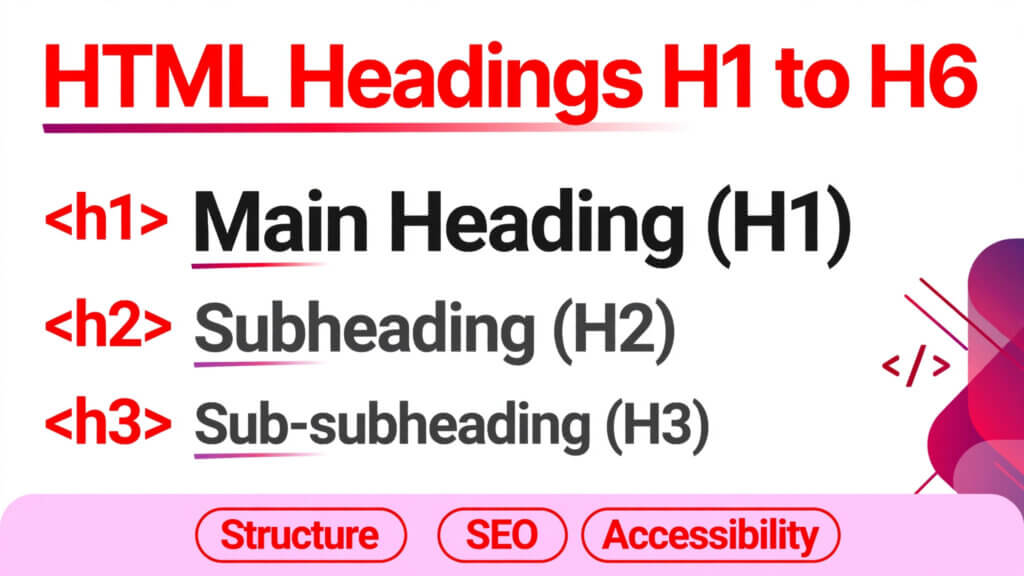
HTML Headings H1 to H6: Hierarchy, SEO Rules, and Common Mistakes
Most mistakes with the HTML headings hierarchy are not made by beginners. They are made by people who know HTML well enough to build a page, but who pick a heading because of how big it looks.
If you have ever chosen an H3 because the H2 was “too big”, or skipped from H1 straight to H4 because it looked right, this guide is for you. Headings are not font sizes. They are the outline of your page — the thing Google reads first, and the thing a screen reader uses to jump around.
Get them right, and your page is easier to read, easier to rank, and easier to maintain. Get them wrong, and you are quietly telling both Google and your visitors that the page is less organised than it is.
Quick Takeaways
- Use one H1 per page, and make it the page’s main topic — not your site name, not “Welcome”.
- Never skip a level. H1, then H2, then H3. An H3 should never follow an H1 directly.
- Headings describe structure, not size. If an H2 looks too big, change it with CSS. Do not demote it to an H4.
- Write headings like chapter titles: short, specific, and honest about what follows.
- A page with a clean heading outline usually needs no other SEO trick to be understood. The rest is bonus.
What Headings Actually Do
Headings Are an Outline, Not Decoration
Think of a page the way you would think of a book. The H1 is the book title. Each H2 is a chapter. Each H3 is a section inside that chapter. Each H4 is a smaller point inside that section. For the formal definitions, see MDN’s reference for the h1–h6 elements.
Nobody reads a book by opening it at a random chapter and guessing what came before. Search engines work the same way. When Google crawls your page, the headings tell it: this is what the page is about, these are its main parts, and this is how the parts fit together.
A screen reader does something even more direct. A blind visitor can pull up a list of your headings and jump straight to the section they want. If your headings are vague — “More Info”, “Details”, “Click Here” — that list is useless. If they are clear, the whole page becomes usable in seconds.
Why Google Cares About Your H1
Your H1 carries the most weight of any heading on the page. It is not the only ranking factor, and it will not save thin content, but it is the clearest single signal you send about your topic.
That is why the H1 should contain the main idea of the page in plain words. “HTML Headings H1 to H6: Hierarchy, SEO Rules, and Common Mistakes” tells Google and a human exactly what to expect. “Welcome to My Page” tells them nothing, no matter how good the content below it is.
One practical rule: your H1 and your page title can be similar, but they do not have to be identical. The title is what shows in search results. The H1 is what shows on the page itself. Make both count, and do not stuff either one with keywords until it stops sounding like English.
The Full Hierarchy, Level by Level
H1: One Per Page, and Only One
Use a single H1. WordPress already puts your post title in an H1 in most themes, so do not add another H1 block inside the post body — that is the most common duplicate-H1 mistake on WordPress sites, and it happens without anyone noticing.
Your H1 should answer one question: what is this page about? If you cannot answer that in one line, the page probably needs to be split, not reworded.
What Makes a Good H1
A good H1 is specific. “HTML Headings” is vague. “HTML Headings H1 to H6: Hierarchy, SEO Rules, and Common Mistakes” is specific, because a reader knows the scope before reading a word of the body.
It should also match the promise of the page. If your H1 promises a complete guide, the page has to deliver one. Google notices when people click back quickly, and so do your readers.
H2: Your Main Sections
H2s are the work horses. Most pages need between four and eight of them. Each H2 should be a section that could almost stand on its own — if you removed everything else, that section would still make sense as a topic.
Write H2s as complete thoughts, not labels. “Common Mistakes” is fine. “Mistakes That Break Your Heading Hierarchy (And How to Fix Them)” is better, because it tells the reader what they will actually learn.
H3: Points Inside a Section
H3s break an H2 section into digestible parts. If an H2 section runs longer than about 400 words without an H3, most readers will start skimming — and skimming readers miss the point you were building toward.
Use H3s when you have two or three distinct ideas under one H2. If you only have one idea, you probably do not need the H3 at all. Extra headings do not make a page look more thorough. They make it look padded.
H4 to H6: Rare, and That Is Fine
H4s are for detail inside an H3 — a specific example, a note, a sub-case. H5 and H6 exist, but in practice you will rarely need them on a blog post. If you find yourself reaching for H5, step back and ask whether the section has become too deep. Usually the answer is yes, and the fix is simpler structure, not more levels.
That is not a rule against H4 to H6. It is a warning sign. Deep nesting is hard to follow on a phone screen, and it usually means the writer has not decided what matters most.
A Real Example, Start to Finish
Here is a heading outline for a simple tutorial page, the way it should look:
<h1>How to Build a Contact Form in HTML</h1>
  <h2>What You Need Before You Start</h2>
  <h2>The Basic Form Structure</h2>
    <h3>Labels and Inputs</h3>
    <h3>The Submit Button</h3>
  <h2>Adding Validation Without JavaScript</h2>
    <h3>Required Fields</h3>
    <h3>Input Types That Validate Themselves</h3>
  <h2>Common Mistakes to Avoid</h2>
Notice what is missing: no skipped levels, no heading used just for size, no H1 repeated halfway down. A reader can scan that outline and know the whole tutorial in ten seconds. Google can do the same.
Now compare it with the version you see on a lot of real sites:
<h1>How to Build a Contact Form in HTML</h1>
  <h3>The Basic Form Structure</h3>
  <h2>What You Need Before You Start</h2>
  <h4>Labels and Inputs</h4>
Same content, broken outline. The order is wrong, a level is skipped, and a detail is promoted above its section. The page still renders. It just reads worse to everyone who is not looking at the screen — including search engines.
Common Mistakes That Hurt SEO and Accessibility
Mistake 1: Using Headings for Font Size
This is the number one mistake, and it usually starts in a page builder. Someone wants smaller text, so they pick H4. Someone wants a big bold line, so they pick H1. The page looks fine. The structure is a mess.
Fix it with CSS. If an H2 is too large for your design, style the H2. Do not change its level. Structure and appearance are two different jobs, and HTML gives you separate tools for them on purpose.
Mistake 2: Skipping Levels
Jumping from H1 to H3, or H2 to H4, is the second most common error. It often happens when a section is deleted and nobody renumbers what follows, or when a template inserts an H3 widget under an H1 title.
Screen readers announce the jump, and it sounds like a missing chapter. Google treats it as a weaker outline. The fix is boring and effective: read your headings in order, out loud, and fix any jump you hear.
Mistake 3: Multiple H1s on One Page
On WordPress, this usually comes from adding an H1 block in the post body when the theme already uses the post title as the H1. Check this on your own site: view a post, inspect the page, and count the H1s. If there are two, remove the one in the body and restyle it as an H2.
HTML5 technically allows more than one H1 in separate sections, but for a normal blog post it creates confusion, not clarity. One page, one main topic, one H1.
Mistake 4: Vague or Keyword-Stuffed Headings
“Introduction”, “More”, “Things to Know” — these headings say nothing. A reader scanning them learns nothing, and Google learns nothing either.
At the other extreme, “HTML Headings H1 H2 H3 H4 H5 H6 SEO Guide Tutorial” is not a heading. It is a keyword list wearing a heading’s clothes. Readers skip it, and it does not help rankings the way people hope it will.
Write headings the way you would write them for a human who is deciding whether to keep reading. That is, after all, exactly who they are for.
A Quick Test for Any Heading
Read the heading on its own. If a stranger could guess what the next three paragraphs are about, it passes. If they could not, rewrite it. This test takes five seconds per heading and catches most bad ones.
Headings and SEO: What Actually Matters
Do Headings Directly Improve Rankings?
Headings help Google understand a page, and understanding is a precondition for ranking — but headings alone do not rank a page. A page with perfect H1 to H6 structure and thin, copied, or unhelpful content will still lose to a well-written page with slightly imperfect headings.
Think of headings as labelling, not magic. Good labelling helps the right page get found for the right query. It does not make a bad page good.
Where Keywords Belong in Headings
Put your main keyword in the H1 naturally, and related phrases in one or two H2s where they genuinely fit. Do not force the exact keyword into every heading. That reads badly, and it signals to Google that the page was written for a checklist rather than a reader.
The headings that tend to win featured snippets and “People also ask” boxes are the ones phrased as questions or clear answers: “How Many H1 Tags Should a Page Have?” beats “H1 Tag Count” because it matches how people actually search.
How to Audit Your Own Headings in Five Minutes
- Open any page on your site and list only its headings, in order, ignoring the body text.
- Check for exactly one H1, and check that it states the page’s topic.
- Check for skipped levels — H1 to H3, H2 to H4, or any jump.
- Check for vague headings you could not explain to a stranger.
- Fix the structure first, then worry about styling. Styling is CSS. Structure is HTML, and it comes first.
You can do the same check with free tools — the W3C validator will flag invalid nesting, and most SEO browser extensions will show you a page’s heading outline in one click. Use them, but do not outsource your judgement to them. A tool can tell you a level was skipped. Only you can tell whether a heading actually makes sense.
Frequently Asked Questions
1. How many H1 tags should a page have?
One. For a standard blog post or article page, one H1 stating the main topic is the safe, correct choice. WordPress themes usually handle this with the post title, so avoid adding a second H1 in the body.
2. Can I skip from H2 to H4 if the design needs it?
No — fix the design instead. Use CSS to make an H3 look the way you want. Skipping a level breaks the outline for screen readers and weakens the structure Google reads.
3. Is it bad to use headings just to make text bold?
Yes, in the sense that it mislabels the content. Use <strong> for bold text inside a paragraph, or CSS for styled text. Reserve headings for actual section titles.
4. Do H5 and H6 matter for SEO?
Very little, on their own. They matter for structure on long, deeply organised pages — documentation, manuals, long guides. On a normal blog post, if you need H5, your sections are probably too deep.
5. Should my H1 and title tag be exactly the same?
They can be similar, but they do not need to be identical. The title tag is for search results, the H1 is for the page itself. Write each one for its audience, and keep both honest about the content.
Conclusion
Headings are a small part of HTML, and that is exactly why they are worth getting right. They cost nothing to fix, they make every page you write easier to read, and they remove a whole class of silent SEO and accessibility problems.
Start with your next post: one clear H1, H2s for main sections, H3s only where a section genuinely splits, and no level skipped for the sake of appearance. Then go back to one old post and audit its headings with the five-minute check above. You will probably find at least one fix — most sites do, including sites written by experienced developers.
Next in this series: responsive images in HTML — how srcset, sizes, and the picture element actually work, and when each one is the right choice.
Related Articles You’ll Love
- Mastering the Basics of HTML: A Beginner’s Guide to Web Development
- HTML 101: Mastering the Basics of HTML Tags and Attributes
- Elevate Your Web Design: Unveiling the Magic of Structural, Contextual and Semantic tags
- Mastering HTML Details and Summary Tags: The Complete Guide to Toggleable Content
- Understanding Custom Data Attributes in HTML5 (data-*): A Complete Guide
- Mastering HTML Head Tag: A Comprehensive Guide to its Tags and Their Uses