
Table of Contents
WordPress Comment2Shell: How a Comment-Based XSS Can Become a Serious WordPress Security Threat
A WordPress comment is supposed to be one of the least privileged pieces of content on a website.
A visitor writes a few words, submits the form, and the website stores the comment for moderation or displays it underneath a post.
But what happens when a vulnerability allows that apparently harmless comment to contain executable JavaScript?
And what happens when that JavaScript is viewed by a logged-in WordPress administrator?
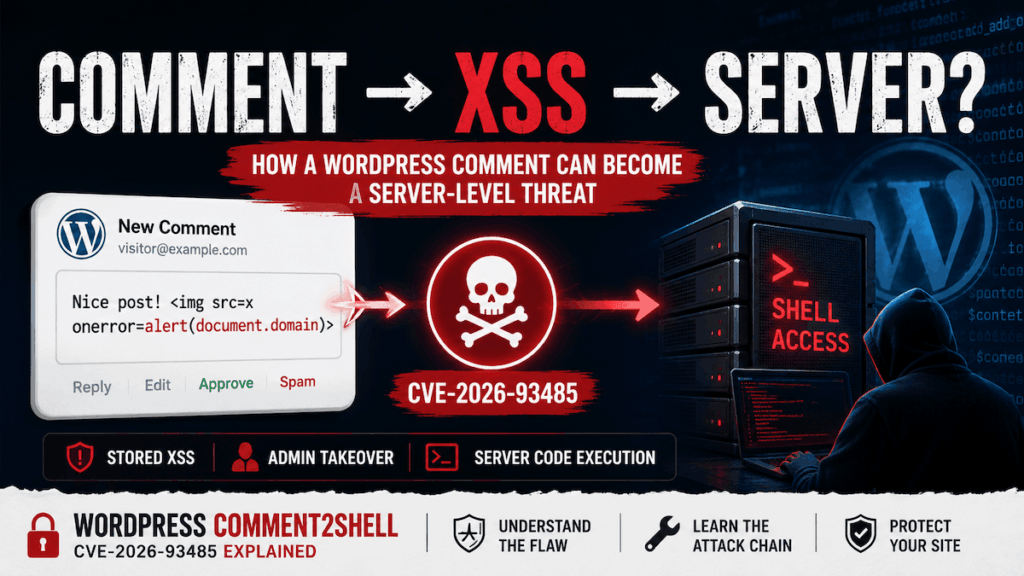
That is the security story behind what researchers and security commentators are calling WordPress Comment2Shell, associated with CVE-2026-93485.
The name sounds like a traditional remote-code-execution vulnerability, but there is an important distinction: CVE-2026-93485 itself is a stored cross-site scripting vulnerability in WordPress core. WordPress disclosed the issue as a stored XSS vulnerability involving wpautop(), with an unauthenticated visitor potentially able to inject script through a comment. WordPress fixed the issue in WordPress 7.1.1 and recommended that sites update immediately.
The reason the vulnerability deserves serious attention is not simply that JavaScript can execute.
The more important security question is whose browser executes that JavaScript.
If malicious comment content is rendered in the browser of an ordinary visitor, the attacker may gain access to information available to that visitor.
If the same content is rendered in a privileged administrator’s browser, the situation can become much more serious. JavaScript executing in the administrator’s authenticated WordPress session may be able to perform actions that the administrator is authorized to perform.
That creates the possibility of chaining an XSS vulnerability with other WordPress functionality or another vulnerability to reach much deeper into the website.
This article explains the WordPress Comment2Shell concept, CVE-2026-93485, how the vulnerability works at a high level, why comments are an interesting attack surface, what the difference is between XSS and RCE, which WordPress versions are affected, how administrators should respond, and how to investigate a site that may already have been exposed.
What Is WordPress Comment2Shell?
WordPress Comment2Shell is not the official name of CVE-2026-93485.
The official vulnerability identifier is CVE-2026-93485, and the underlying vulnerability is classified as cross-site scripting, specifically involving WordPress core’s content formatting behavior.
The phrase “Comment2Shell” describes a possible security progression:
Comment → Stored XSS → Privileged Browser Context → WordPress Action → Possible Server-Side Code Execution
The important word here is possible.
CVE-2026-93485 does not mean that an anonymous visitor can simply submit a comment and immediately execute arbitrary PHP on the server.
Instead, the vulnerability creates a way for attacker-controlled JavaScript to become part of a WordPress page. If that JavaScript is subsequently executed in a privileged browser context, it can potentially abuse whatever actions that browser is authorized to perform.
Whether that ultimately becomes server-side code execution depends on the target configuration, administrator privileges, available WordPress functionality, installed plugins and themes, additional vulnerabilities, and other security controls.
This distinction matters because describing every instance of CVE-2026-93485 as “unauthenticated remote code execution” would be misleading.
The official WordPress security release describes the issue as:
- stored cross-site scripting in
wpautop() - reachable by an unauthenticated visitor
- involving comment content
- subject to comment approval
WordPress fixed the vulnerability in the 7.1.1 security release.
So, when you see the term WordPress Comment2Shell, think of it as a description of a potential attack chain, rather than the formal name or CVSS classification of the CVE itself.
CVE-2026-93485 Explained
CVE-2026-93485 affects WordPress core.
That is significant because WordPress vulnerabilities can exist at several different layers.
A vulnerability may exist in:
- WordPress core
- a plugin
- a theme
- a hosting configuration
- a custom WordPress integration
- a third-party API
- a server-side component
Plugin and theme vulnerabilities are extremely common attack surfaces because websites can have dozens of third-party components installed.
CVE-2026-93485 is different.
The vulnerable behavior was found in WordPress core functionality involved in formatting content for display.
Security databases classify the issue under CWE-79, the category for improper neutralization of input during web page generation, commonly known as cross-site scripting. The vulnerability has been assigned a CVSS 3.1 score of 7.1.
The vulnerability affects a large range of WordPress releases.
Reported affected branches include WordPress versions from the 4.7 series through the 7.1 series before the corresponding security fixes. The WordPress security team also prepared backports for branches that remained eligible for security updates.
This means the vulnerability should not be treated as something that only affects websites running the newest WordPress version.
An old WordPress installation can be affected too.
And that is one of the biggest practical lessons from this incident:
A WordPress security vulnerability does not become harmless simply because the website is running an older, stable version.
Security backports exist specifically because older branches can contain security flaws that need to be fixed.
Why Is a Comment Security Vulnerability Important?
At first glance, comments may not look particularly dangerous.
A typical WordPress comment contains:
- a name
- an email address
- a website URL
- comment text
Most website owners think of comments as content rather than executable functionality.
That distinction is exactly why input handling is so important.
A comment begins as untrusted user input.
The website cannot assume that the person submitting it is trustworthy.
The visitor might be:
- a genuine reader
- a spammer
- an automated bot
- a malicious researcher
- an attacker looking for vulnerable sites
Even if WordPress strips dangerous HTML from the submitted comment, the security process does not end there.
The application has to safely handle that data through its entire lifecycle.
The basic lifecycle looks something like this:
User Input → Validation → Sanitization → Storage → Processing → Formatting → Output → Browser
A vulnerability can occur if data is considered safe at one stage but becomes dangerous at a later stage.
That is broadly what makes this class of vulnerability interesting.
A piece of content may not look like executable HTML when it is initially processed.
Later, another function may transform it.
That transformation can accidentally change the security meaning of the data.
The Role of wpautop()
One of the important components involved in CVE-2026-93485 is WordPress’s wpautop() function.
WordPress uses wpautop() to automatically add paragraph markup around blocks of text.
For example, plain text containing separate lines can be transformed into HTML paragraphs.
Conceptually:
First paragraph.
Second paragraph.
can become:
<p>First paragraph.</p>
<p>Second paragraph.</p>
That behavior is convenient for normal WordPress content.
But formatting functions are security-sensitive when they operate on attacker-controlled data.
The problem associated with CVE-2026-93485 involved how wpautop() processed particular HTML structures and quoted attribute values.
Security research described a situation where the function’s regular-expression-based processing could misunderstand the boundary between HTML markup and content contained inside an attribute.
That distinction is critical.
Consider the conceptual difference between:
<element attribute="normal text">and:
<element attribute="text containing >">A parser that understands HTML knows that a > character inside a quoted attribute does not necessarily mean the end of the opening tag.
A regular expression that is not sufficiently aware of HTML’s quoting rules can make incorrect assumptions.
That is where seemingly harmless text transformations can become security problems.
Patchstack’s technical analysis describes the vulnerable behavior as a problem in wpautop()‘s handling of quoted attribute values.
The important lesson for developers is broader than this one CVE:
Text processing code that manipulates HTML is security-sensitive even when the function itself is not intended to execute HTML.
From Comment to Stored XSS
The first major stage of the WordPress Comment2Shell concept is stored cross-site scripting.
Stored XSS means the attacker-controlled content is saved somewhere and later rendered to another user.
This differs from reflected XSS.
With reflected XSS, malicious input is generally delivered as part of a request and immediately reflected into the response.
With stored XSS, the malicious content persists.
Comments are naturally suited to stored attacks because comments are database-backed content.
A simplified lifecycle looks like this:
Attacker
   ↓
Submits comment
   ↓
WordPress receives comment
   ↓
Comment is stored
   ↓
Comment is approved/displayed
   ↓
WordPress formats comment
   ↓
Victim opens page
   ↓
Browser interprets resulting HTML
   ↓
Attacker-controlled JavaScript executes
That is the core security problem.
The attacker does not necessarily need to attack the administrator directly.
Instead, the attacker attempts to place content somewhere the administrator is likely to view.
The comment becomes the delivery mechanism.
Why Sanitization Does Not Automatically Prevent This
WordPress has extensive mechanisms for sanitizing and filtering content.
That is good security practice.
But sanitization is not the same thing as proving that every later transformation is safe.
Imagine a security pipeline like this:
Input
  ↓
Sanitizer
  ↓
Stored Data
  ↓
Formatter
  ↓
HTML Output
  ↓
Browser
The sanitizer may correctly determine that the original input does not contain a forbidden HTML construct.
Then a later formatter modifies the structure.
If the formatter accidentally changes the relationship between text and markup, previously safe-looking content can become dangerous.
This is why security engineers often talk about contextual output encoding.
Data that is safe in one context may not be safe in another.
For example, these are different security contexts:
- HTML text
- HTML attribute
- JavaScript string
- JavaScript code
- CSS
- URL
- JSON
- SQL
- shell command
A value that is harmless in ordinary text can be dangerous when placed into JavaScript or an HTML attribute without the correct encoding.
The WordPress Comment2Shell discussion is therefore a useful reminder that security cannot rely on one sanitization step alone.
Does CVE-2026-93485 Give an Attacker Remote Code Execution?
This is one of the most important questions.
The short answer is:
CVE-2026-93485 itself is an XSS vulnerability, not direct unauthenticated PHP remote code execution.
The official WordPress security announcement does not describe the vulnerability as direct server-side code execution. It describes it as stored cross-site scripting in wpautop() that allows an unauthenticated visitor to inject script, subject to comment approval.
So why are people using the term “Comment2Shell”?
Because XSS can become much more dangerous when the victim is a privileged user.
Consider an administrator who is logged into WordPress.
Their browser may have access to:
- administrative pages
- plugin management
- theme management
- post management
- settings
- media functionality
- REST API endpoints
- AJAX actions
An XSS payload executing inside that authenticated browser can potentially make requests as that administrator.
The browser is effectively carrying the administrator’s existing authentication state.
This does not mean that the attacker automatically becomes an administrator.
It means that malicious JavaScript may be able to cause the browser to perform actions that the logged-in user is permitted to perform, depending on WordPress’s security controls and the particular endpoint.
That is why stored XSS involving privileged users is taken seriously.
The Difference Between XSS and RCE
It is worth making this distinction extremely clear.
XSS
Cross-site scripting means attacker-controlled JavaScript executes in a victim’s browser in the security context of the affected website.
The attack primarily targets the browser and the user’s session.
Potential consequences can include:
- unauthorized actions
- modification of page content
- theft of accessible information
- manipulation of forms
- unauthorized requests
- account compromise in some scenarios
- delivery of additional attacks
RCE
Remote code execution means an attacker can cause arbitrary code to execute on the target server or system.
In WordPress, server-side code execution could mean executing PHP in the context of the web server.
That is a much different technical condition.
The path from XSS to RCE is therefore not automatic.
It requires an additional bridge.
For example:
Stored XSS
   ↓
Administrator browser
   ↓
Privileged WordPress action
   ↓
Additional vulnerable functionality
   ↓
Server-side code execution
That is why the phrase Comment2Shell is best understood as an attack-chain concept.
How a Comment Can Become the Starting Point for a Larger Attack
The dangerous property of XSS is that the browser becomes an execution environment for attacker-controlled JavaScript.
Suppose a malicious comment is eventually displayed to a WordPress administrator.
The administrator is already logged into the website.
The browser therefore has an authenticated relationship with WordPress.
The injected script may attempt to interact with the WordPress application.
Conceptually:
Anonymous attacker
       |
       | malicious comment
       v
WordPress database
       |
       | comment rendered
       v
Administrator browser
       |
       | authenticated requests
       v
WordPress application
       |
       | privileged functionality
       v
Potentially dangerous action
Whether the final stage succeeds depends on many factors.
For example:
- Is the victim actually an administrator?
- Does the victim visit the affected page?
- Is the attacker able to bypass comment moderation?
- Is the administrator’s browser session active?
- Does the target functionality require a nonce?
- Does the endpoint perform capability checks?
- Is the target feature enabled?
- Is a vulnerable plugin installed?
- Is a vulnerable theme installed?
- Are file modifications permitted?
- Is the filesystem writable?
- Is the plugin/theme editor disabled?
- Does a WAF block suspicious requests?
This is why security professionals should avoid treating an exploit chain as a single universal outcome.
Comment Approval Matters
WordPress itself specifically describes the vulnerability as being subject to comment approval.
That matters because the attack is much more useful if malicious content actually reaches the page where a victim can see it.
Comment moderation can therefore reduce exposure.
However, moderation should not be considered a substitute for patching.
An attacker may target websites with:
- automatically approved comments
- weak moderation
- existing trusted commenter relationships
- custom comment workflows
- plugins that alter comment approval
- administrator-facing moderation interfaces
- other content-displaying functionality
Security researchers have also reported that the normal assumptions around previously approved commenters may not always provide sufficient protection against this vulnerability.
The correct response is therefore:
Patch first. Use moderation as an additional security control.
Who Is Affected by CVE-2026-93485?
CVE-2026-93485 affects a wide range of WordPress versions.
The vulnerability databases list affected branches from WordPress 4.7 through WordPress 7.1 before the relevant fixes.
WordPress 7.1.1 was released on September 17, 2026, as a security and maintenance release containing 11 security fixes. The official WordPress announcement recommends updating immediately.
For websites running older branches that still receive security backports, the appropriate patched version depends on the branch.
This is important because simply asking:
“Am I running WordPress 7.1?”
is not enough.
A website running WordPress 6.x may also be vulnerable.
Likewise, a website running an old 5.x installation should not assume that the vulnerability does not apply simply because it predates the current release.
Administrators should identify the exact installed version and compare it with the appropriate security release for that branch.
How to Check Your WordPress Version
The easiest method is through the WordPress dashboard.
Go to:
Dashboard → Updates
The installed WordPress version should be displayed there.
You can also use WP-CLI.
For example:
wp core versionYou can check whether an update is available with:
wp core check-updateFor server administrators, the WordPress version can also be inspected directly from the WordPress installation.
A basic PHP command is:
php -r 'require "wp-includes/version.php"; echo $wp_version, PHP_EOL;'The important thing is not simply to check whether the website appears to be functioning normally.
A vulnerable WordPress installation can operate perfectly normally from a visitor’s perspective.
Security vulnerabilities are often invisible until they are exploited.
How to Fix WordPress Comment2Shell / CVE-2026-93485
The primary fix is straightforward:
Update WordPress to a version containing the security patch.
For WordPress 7.1 users, that means updating to WordPress 7.1.1.
WordPress officially recommends updating immediately because the release contains security fixes.
From the dashboard:
Dashboard → Updates → Update Now
If you manage WordPress through WP-CLI, you can update the core installation using the normal WordPress core update process.
For example:
wp core update
wp core update-db
wp core version
Afterward, verify the installed version.
Do not simply run the update and assume it succeeded.
Check the version again.
What If Your WordPress Website Uses an Older Branch?
Some organizations deliberately remain on older WordPress branches because of compatibility requirements.
That does not necessarily mean they must remain vulnerable.
WordPress states that security fixes are backported to eligible older branches, with branches back to 4.7 receiving security backports where necessary.
The important distinction is:
Old does not mean unpatched.
However:
Old and unpatched is a security problem.
If your website cannot move to the newest major WordPress release because of a theme or plugin compatibility issue, identify the security release corresponding to your branch and apply the appropriate patched version.
Long term, however, maintaining a heavily outdated WordPress stack creates additional security and compatibility risks.
Why Automatic Updates Are Not Enough
WordPress supports automatic security updates.
That is a valuable feature.
But website owners should still verify the installed version.
Automatic updates can be affected by:
- disabled background updates
- hosting management policies
- custom deployment systems
- Git-based WordPress installations
- Composer-managed environments
- staging workflows
- file permission problems
- update failures
- maintenance policies
- custom
wp-config.phpsettings
A website owner might believe:
“WordPress updates automatically.”
But the actual server might be running an old version.
That is why version verification is more reliable than assumption.
For a managed fleet, consider maintaining a simple inventory containing:
| Site | WordPress Version | Comments | Auto Updates | Last Verified |
|---|---|---|---|---|
| Site A | 7.1.1 | Enabled | Yes | Current |
| Site B | 6.9.x | Enabled | No | Review |
| Site C | 6.8.x | Disabled | No | Urgent |
| Site D | 7.1.1 | Disabled | Manual | Current |
Security becomes much easier when you know exactly what is deployed.
Should You Disable Comments?
Disabling comments can reduce the attack surface associated with comment submission.
If your website does not need comments, disabling them can be a reasonable hardening measure.
However, disabling comments should not be presented as the primary fix for CVE-2026-93485.
The correct order is:
- Update WordPress.
- Verify the update.
- Review comments and other user-generated content.
- Harden comment settings if comments are unnecessary.
- Continue monitoring the website.
If comments are an important part of the website, you do not necessarily need to remove them.
Instead, make sure the WordPress core installation is patched and your comment workflow is appropriately configured.
What About Comment Moderation?
Comment moderation is a useful security layer.
You can review comments before they become publicly visible.
This can help prevent obvious malicious content from reaching visitors and administrators.
But moderation has limitations.
A large website may receive hundreds or thousands of comments.
Attackers can deliberately make malicious content look harmless.
A comment might contain:
- ordinary-looking text
- unusual markup
- encoded content
- carefully structured HTML
- content designed to exploit a parser
- links that appear legitimate
Moderators should therefore not be expected to identify sophisticated security payloads manually.
The strongest defense remains fixing the underlying vulnerability.
What Makes Stored XSS Especially Dangerous for Administrators?
Imagine an administrator logs into:
https://example.com/wp-admin/They then browse the public website without logging out.
Their browser may still have an authenticated WordPress session.
Now imagine a public article contains a malicious stored comment.
When the administrator opens that article, the malicious script executes in the website’s origin.
This is the scenario security teams worry about.
The attacker does not necessarily need to know the administrator’s password.
They do not necessarily need direct access to the administrator account.
They may instead attempt to make the administrator’s own browser perform an action.
This is one of the reasons administrators should treat stored XSS differently from ordinary spam.
A spam comment is annoying.
A malicious stored comment can become an attack delivery mechanism.
The Security Boundary Between Browser and Server
One of the most useful ways to understand the WordPress Comment2Shell concept is to think about security boundaries.
There are at least two major environments involved:
The Browser
The browser executes:
- JavaScript
- HTML
- CSS
It also maintains authentication state such as cookies.
The Server
The server executes:
- PHP
- WordPress
- plugins
- themes
- database operations
An XSS vulnerability initially crosses into the browser.
RCE crosses into the server.
Therefore:
XSS
Browser compromise
       ↓
Privileged application actions
       ↓
Potential server-side impact
       ↓
RCE
That middle stage is critical.
It is the bridge.
Without a viable bridge, XSS remains a browser-side vulnerability.
With a vulnerable privileged action, however, the impact can become much greater.
Why WordPress Administrators Should Take XSS Seriously
There is a tendency to think of XSS as an old and relatively simple web vulnerability.
That is a mistake.
Modern websites are applications.
WordPress administrators interact with the site through authenticated dashboards containing:
- REST API requests
- AJAX requests
- JavaScript applications
- media management
- plugin interfaces
- theme interfaces
- settings
- content management functionality
The browser is not merely displaying a webpage.
It is an authenticated client for a powerful content management system.
An XSS vulnerability in an administrative context therefore has the potential to become a control-plane problem.
This is especially relevant to WordPress because a sufficiently privileged administrator can manage significant parts of the application.
Could an Attacker Steal WordPress Cookies?
Historically, cookie theft has been one of the common examples associated with XSS.
However, modern WordPress and browser security mechanisms can reduce the usefulness of directly stealing authentication cookies.
For example, cookies may use:
HttpOnlySecureSameSite
When an authentication cookie is HttpOnly, JavaScript cannot directly read that cookie through normal browser APIs.
That does not make XSS harmless.
An attacker may not need to steal the cookie.
If malicious JavaScript executes within the authenticated origin, it may potentially make requests from the victim’s browser.
That is a different attack model.
Instead of:
Steal cookie → use cookie elsewhere
the attack may look like:
Execute JavaScript
      ↓
Use victim's existing session
      ↓
Send authorized requests
This is another reason that the impact of XSS depends heavily on the victim’s privileges.
What a Real Investigation Should Look For
If you suspect that a website was targeted before it was patched, updating WordPress is only the beginning.
A patch prevents future exploitation of the vulnerability.
It does not automatically undo actions that may already have occurred.
A post-incident review should consider:
1. Comments
Review recent comments, especially:
- unusual comments
- comments containing unexpected HTML
- comments with suspicious attributes
- comments from unknown users
- comments that appeared shortly before suspicious administrator activity
2. Administrator Accounts
Check for:
- unfamiliar administrator accounts
- unexpected users with elevated privileges
- recently modified user accounts
- unknown email addresses
- unexpected password resets
3. Plugins
Review:
- recently installed plugins
- recently activated plugins
- plugins that administrators do not recognize
- unexpected plugin files
- modified plugin files
4. Themes
Check:
- recently modified themes
- unfamiliar themes
- unexpected PHP files
- changes to
functions.php - unexpected template files
5. Core Files
If compromise is suspected, compare WordPress core files against a known-good copy.
6. Scheduled Tasks
Review:
- WordPress cron jobs
- server cron jobs
- unexpected scheduled tasks
7. Database
Look for suspicious modifications in:
- options
- users
- user metadata
- posts
- comments
- site settings
8. Server Logs
Review:
- web access logs
- PHP logs
- authentication logs
- WordPress security logs
- WAF logs
The objective is to determine whether the site merely contained a vulnerable version or whether there is evidence of actual exploitation.
Signs That a WordPress Site May Have Been Compromised
No single indicator proves compromise.
However, several signals deserve investigation.
Examples include:
- unexpected administrator accounts
- unknown plugins
- modified theme files
- unfamiliar PHP files
- suspicious redirects
- unexpected JavaScript
- new scheduled tasks
- strange outbound requests
- modified WordPress options
- unexpected login activity
- unexplained changes to posts
- suspicious comments
- changes to security settings
- new API credentials
- unexplained email configuration changes
A common mistake is to update WordPress and stop there.
If there is evidence that an attacker already gained access, patching closes the original vulnerability but does not necessarily remove persistence.
What Should You Do If You Find Suspicious Activity?
If you find strong evidence of compromise, treat the situation as an incident rather than a normal WordPress update.
A sensible sequence is:
- Preserve relevant logs.
- Create a forensic backup where practical.
- Restrict further attacker access.
- Update WordPress and vulnerable components.
- Identify persistence mechanisms.
- Remove unauthorized accounts and files.
- Review database changes.
- Rotate credentials.
- Regenerate WordPress authentication salts where appropriate.
- Review hosting and SSH credentials.
- Review API keys and third-party integrations.
- Monitor the site after remediation.
For high-value websites, professional incident-response assistance may be appropriate.
Why Updating WordPress Is Still the Most Important Step
Security articles sometimes make vulnerabilities sound complicated.
CVE-2026-93485 certainly has interesting technical details.
But the practical fix is simple.
Patch WordPress.
WordPress 7.1.1 was released specifically as a security and maintenance release, with 11 security fixes in addition to core and Block Editor bug fixes. The official WordPress announcement explicitly recommends updating sites immediately.
The longer an unpatched site remains online, the greater the opportunity for attackers to discover and automate attacks against the vulnerability.
This is particularly important after a vulnerability becomes public.
Once a security patch exists, researchers and attackers can compare vulnerable and patched code to understand what changed.
That can make reverse engineering easier.
Therefore, public disclosure can increase pressure on unpatched installations.
CVE-2026-93485 Is Not a Plugin Vulnerability
Another important point is that this issue exists in WordPress core.
You cannot fix it by simply uninstalling a plugin.
You cannot assume that a security plugin completely removes the underlying vulnerability.
A Web Application Firewall may potentially block some malicious requests.
A security plugin may provide additional detection.
Comment moderation can reduce exposure.
A Content Security Policy can provide another defensive layer.
But none of those controls replaces the official WordPress security update.
The vulnerable code belongs to WordPress core.
The core software needs to be patched.
Does a Web Application Firewall Help?
A WAF can provide useful defense in depth.
Depending on the product and its rules, a WAF may detect or block suspicious requests.
However, WAF protection should not be treated as a guaranteed solution.
There are several reasons.
First, the vulnerability involves application-level interpretation and content processing.
Second, attackers may find ways around generic signatures.
Third, legitimate requests and malicious requests can sometimes look similar.
Fourth, a WAF does not remove vulnerable PHP code from the server.
Therefore:
WAF = additional layer
Security update = primary fix
That distinction is important when managing production WordPress websites.
What About Content Security Policy?
Content Security Policy, commonly called CSP, can reduce the impact of some XSS attacks by restricting where scripts can execute from.
A strong CSP can be an excellent security control.
But implementing CSP on an existing WordPress website can be complicated.
Themes and plugins may rely on:
- inline scripts
- dynamically generated scripts
- third-party JavaScript
- analytics
- advertising networks
- external APIs
- inline event handlers
A poorly designed CSP can break website functionality.
A carefully designed CSP can improve security significantly.
But again, CSP is not a substitute for patching CVE-2026-93485.
The best approach is layered security:
Patched WordPress
        +
Secure plugins/themes
        +
Comment moderation
        +
Least privilege
        +
WAF
        +
CSP
        +
Monitoring
        +
Backups
Each layer reduces risk.
The Importance of Least Privilege
The potential impact of XSS depends heavily on the privileges of the user who encounters it.
This is a classic example of why least privilege matters.
If a normal editor only needs to manage posts, that user should not necessarily have administrator-level capabilities.
If a plugin developer needs temporary administrative access, that access should not necessarily remain permanently enabled.
If several people manage a website, each account should receive only the permissions required for its job.
This does not eliminate XSS.
But it can reduce the consequences if an XSS payload is triggered.
Do Not Browse Suspicious Links While Logged In as Administrator
This is a general security recommendation rather than a complete mitigation for CVE-2026-93485.
Administrators should be careful when browsing:
- suspicious emails
- unexpected links
- unknown comments
- untrusted websites
- links sent through social media
- URLs received from unknown users
Using a separate browser profile for administrative WordPress work can help isolate sensitive sessions.
For example:
Browser Profile A
Normal browsing

Browser Profile B
WordPress administration
This is not a replacement for security patches.
It is simply an additional security boundary.
Why Security Updates Sometimes Contain More Than One Fix
WordPress 7.1.1 is not only about CVE-2026-93485.
The release contains 11 security fixes.
The official WordPress announcement lists issues including:
- stored XSS in
wpautop() - an HTML API comment breakout issue
- stored XSS in some themes supporting custom headers
- a specially crafted URL issue involving theme installation and preview
- a REST Templates Controller path traversal issue
- XML-RPC authorization problems involving
customize_changeset - Contributor-level post overwrite
- information disclosure involving private parent posts
- draft and pending post slug disclosure
- comment reparenting issues
These are separate security problems and should not be confused with CVE-2026-93485.
This is another reason to apply the complete security update instead of attempting to patch only one vulnerability manually.
WordPress Security Is About Chains, Not Just Individual Bugs
One of the biggest lessons from the WordPress Comment2Shell discussion is that vulnerabilities should not always be considered in isolation.
A vulnerability with limited impact on its own can become much more significant when combined with another weakness.
For example:
Vulnerability A
      ↓
Initial access
      ↓
Vulnerability B
      ↓
Privilege escalation
      ↓
Vulnerability C
      ↓
Code execution
Attackers think in chains.
Security teams should too.
This is why a seemingly ordinary stored XSS deserves attention when it can potentially affect a privileged administrator.
A Comment Is an Untrusted Application Input
Developers building WordPress themes and plugins should take a broader lesson from CVE-2026-93485.
Never assume that comment content is safe merely because WordPress normally sanitizes it.
Custom code can introduce additional risks.
For example, a plugin might:
- read comment content
- transform it
- insert it into HTML
- insert it into JavaScript
- store it in custom tables
- send it to an external service
- render it in an admin interface
Each transition creates another security boundary.
Developers should carefully consider the context in which user-controlled data is output.
The correct encoding function depends on the context.
Why Regular Expressions and HTML Can Be a Dangerous Combination
HTML is a structured language.
It contains:
- tags
- attributes
- quoted values
- entities
- comments
- nested elements
- malformed markup
- browser parsing behavior
Regular expressions can be useful for many text-processing tasks.
But using regular expressions to understand complex HTML syntax is notoriously difficult.
A small assumption can create a security bug.
In the case of CVE-2026-93485, the security problem involved wpautop() processing markup in a way that did not correctly account for the meaning of characters inside quoted attribute values.
This is a valuable lesson for WordPress developers:
If you need to parse or transform HTML, understand the parser and security model involved instead of assuming HTML can safely be treated as ordinary text.
Is WordPress Comment2Shell a Zero-Click Attack?
Not in the simple sense.
The CVSS information for CVE-2026-93485 indicates that user interaction is required.
The attacker cannot simply submit a comment and assume arbitrary server-side execution occurs immediately.
The malicious content has to reach a victim’s browser and be processed there.
For the attack chain to become especially interesting, the victim may need to be a privileged WordPress user.
That is an important limitation.
However, user interaction should not be interpreted as “not dangerous.”
Administrators routinely visit their own websites.
A website administrator may:
- review comments
- inspect posts
- preview content
- moderate submissions
- check the homepage
- respond to users
- manage articles
Therefore, a malicious comment can potentially be positioned directly in the normal workflow of a WordPress administrator.
What Website Owners Should Do Today
If you operate a WordPress website, the practical checklist is straightforward.
1. Check your WordPress version
Use:
wp core versionor check:
Dashboard → Updates
2. Apply the security release
Move to WordPress 7.1.1 if you are on the 7.1 branch, or the appropriate patched security release for your supported branch.
3. Verify the update
Do not assume the update completed.
Run:
wp core versionagain.
4. Review comments
Look for suspicious or unexpected content, especially comments created recently.
5. Review administrator accounts
Check for unexpected accounts or privilege changes.
6. Review plugins and themes
Look for anything unfamiliar or recently installed.
7. Review logs
If the site handles sensitive information, inspect access and authentication logs.
8. Rotate credentials if compromise is suspected
This includes more than WordPress passwords.
Consider:
- hosting credentials
- SSH credentials
- database credentials
- API keys
- deployment credentials
- third-party service credentials
9. Keep backups
Maintain tested backups before making major changes.
10. Continue monitoring
Patching is the beginning of good security hygiene, not the end.
A Practical WordPress Security Checklist
For ongoing WordPress security, I recommend maintaining the following checklist.
WordPress Core
- Keep WordPress patched.
- Verify the installed version.
- Monitor WordPress security releases.
- Avoid unsupported versions where possible.
Plugins
- Remove unused plugins.
- Keep active plugins updated.
- Avoid abandoned plugins.
- Purchase plugins from trustworthy sources.
- Monitor vulnerability advisories.
Themes
- Keep themes updated.
- Remove unused themes.
- Avoid pirated themes.
- Monitor custom theme code.
User Accounts
- Use strong passwords.
- Enable two-factor authentication where practical.
- Avoid shared administrator accounts.
- Remove old users.
- Review administrator privileges.
Comments
- Use appropriate moderation.
- Disable comments where unnecessary.
- Monitor suspicious submissions.
- Keep core patched.
Server
- Keep PHP updated.
- Restrict file permissions.
- Use HTTPS.
- Protect SSH access.
- Maintain server backups.
Monitoring
- Monitor authentication events.
- Monitor file changes.
- Review server logs.
- Monitor unexpected administrator changes.
Security is much stronger when these controls work together.
What Developers Can Learn From CVE-2026-93485
There is also an important lesson here for developers working on WordPress plugins and themes.
When processing user-generated content:
Never trust input because it came from WordPress
WordPress APIs can sanitize data, but developers still need to understand the context in which that data is used.
Do not confuse sanitization with escaping
Sanitization and output escaping solve different problems.
Escape for the correct context
HTML text, HTML attributes, JavaScript, URLs and CSS all require different security considerations.
Avoid unsafe string concatenation
Especially when constructing:
- HTML
- JavaScript
- SQL
- shell commands
Treat admin pages as high-value targets
A stored XSS in an administrator-facing interface can be substantially more dangerous than one affecting a low-privilege page.
Use capability checks
Every privileged server-side action should verify the current user’s capabilities.
Use nonces where appropriate
Nonces help protect against certain classes of unauthorized requests, although they are not a replacement for capability checks.
Keep server-side authorization independent
Never assume that because JavaScript hides a button, the action is secure.
The server must enforce authorization.
The Bigger Lesson: Never Ignore “Just XSS”
The phrase “it’s only XSS” can lead to poor security decisions.
The actual impact of XSS depends on:
- where the vulnerability exists
- who can trigger it
- who views the affected content
- what privileges the victim has
- whether authentication is involved
- what application functionality is available
- whether additional vulnerabilities exist
CVE-2026-93485 demonstrates why this context matters.
The initial vulnerability is XSS.
But an XSS vulnerability that can be introduced through an unauthenticated comment is a different security problem from an XSS that only an administrator can trigger manually.
And an XSS that reaches an administrator is different again from one that reaches an ordinary visitor.
Security impact is contextual.
Is There a Public Exploit?
Security information around newly disclosed vulnerabilities can change quickly.
At the time of writing, public sources describe CVE-2026-93485 as a high-severity WordPress core XSS vulnerability, and the vulnerability was disclosed alongside the WordPress 7.1.1 security release.
Some security discussions describe possible exploitation chains involving privileged WordPress users.
However, it is important not to confuse a demonstrated attack concept or theoretical chain with confirmed widespread exploitation of the CVE itself.
Security status can change after disclosure.
Once a patch is public, attackers can study the differences between vulnerable and patched code.
For that reason, the safest approach is not to wait for evidence of mass exploitation.
Patch first.
Investigate afterward.
Why You Should Not Wait for Your Security Plugin to Alert You
Security plugins are useful.
They can detect:
- suspicious files
- malware
- unauthorized changes
- suspicious requests
- login anomalies
- known vulnerable plugins
But they are not a replacement for keeping WordPress current.
A security plugin might detect an attack after the malicious content has already reached the website.
A firewall might block known patterns but miss a variation.
A malware scanner might identify a modified PHP file but not a malicious comment.
Core security updates remove the vulnerable code itself.
That is a much stronger position.
The WordPress Comment2Shell Attack Chain in One Diagram
The entire concept can be simplified to this:
                 UNTRUSTED INPUT
                       │
                       ▼
              Anonymous Commenter
                       │
                       ▼
               Crafted Comment
                       │
                       ▼
                WordPress Core
                       │
                       ▼
              Stored XSS Condition
                       │
                       ▼
             Comment Is Displayed
                       │
                       ▼
              Victim's Browser
                       │
              ┌────────┴────────┐
              │                 │
          Normal User       Administrator
              │                 │
              ▼                 ▼
       Limited Impact     Privileged Context
                                │
                                ▼
                       Authenticated Actions
                                │
                                ▼
                    Additional Weakness/Feature
                                │
                                ▼
                     Potential Server Impact
                                │
                                ▼
                          Possible RCE
The most important thing to notice is that RCE is not the first step.
The chain depends on additional conditions.
That distinction makes the explanation more accurate and helps website owners understand what they actually need to protect.
Frequently Asked Questions
What is WordPress Comment2Shell?
WordPress Comment2Shell is an informal term used to describe an attack-chain concept involving a malicious WordPress comment, stored XSS, a privileged victim such as an administrator, and potentially additional functionality or vulnerabilities that can lead to server-side code execution.
The term is associated in current security discussions with CVE-2026-93485, but Comment2Shell is not the official CVE name.
What is CVE-2026-93485?
CVE-2026-93485 is a WordPress core cross-site scripting vulnerability involving wpautop() and comment content. It allows an unauthenticated visitor to potentially inject stored script, subject to the conditions under which comments are approved and displayed.
Is CVE-2026-93485 an RCE vulnerability?
No. The CVE itself is classified as XSS.
The “Comment2Shell” terminology refers to a potential chain where XSS can be combined with privileged user access and additional functionality to potentially reach server-side code execution.
Does an attacker need a WordPress account?
The reported vulnerability allows an unauthenticated visitor to submit the relevant comment input. WordPress’s official security announcement describes the issue as an unauthenticated stored XSS vulnerability subject to comment approval.
Which WordPress versions are affected?
The published vulnerability information covers a wide range of WordPress branches, from 4.7 through 7.1 before the relevant security fixes.
Always verify your exact branch and install the corresponding security release.
Is WordPress 7.1.1 safe from CVE-2026-93485?
WordPress 7.1.1 contains the security fix for CVE-2026-93485.
WordPress released 7.1.1 on September 17, 2026, and recommends updating immediately.
Can disabling comments fix the problem?
Disabling comments can remove the comment submission path, but it should not be considered the primary fix.
Update WordPress first.
Does comment moderation prevent the vulnerability?
Moderation can reduce exposure because malicious comments generally need to become visible before stored XSS can affect a viewer.
However, moderation is not a replacement for the security update.
Can a security plugin protect against Comment2Shell?
A security plugin or WAF may provide additional protection, detection or filtering.
However, the underlying WordPress vulnerability should still be patched.
Should I delete all comments?
Not necessarily.
If there is no evidence of compromise, mass deletion is generally unnecessary.
Instead, update WordPress and review suspicious or recently submitted comments.
If you have evidence that the site was attacked, preserve relevant evidence and investigate before deleting potentially useful forensic data.
Can an attacker immediately get PHP execution from a comment?
Not from CVE-2026-93485 alone.
The vulnerability provides an XSS condition.
A path to PHP/server-side execution would require additional conditions, privileges, functionality or vulnerabilities.
Why is administrator interaction important?
Because XSS executes in the browser of the victim.
If that browser belongs to a WordPress administrator who is logged in, the script may potentially interact with privileged WordPress functionality.
That is what makes stored XSS against administrators particularly important.
Should administrators stop using WordPress?
No.
The appropriate response to a WordPress security vulnerability is to patch the software and follow normal security practices.
WordPress security releases exist specifically to address these types of issues.
Final Thoughts
The WordPress Comment2Shell discussion is a useful example of why modern WordPress security cannot be reduced to one simple question:
“Can an attacker upload a PHP file?”
Attackers do not always begin with direct server access.
Sometimes they begin with something much smaller:
A comment.
A link.
A piece of HTML.
A JavaScript execution primitive.
A vulnerable browser session.
A poorly protected administrative endpoint.
Individually, these may not look like a complete compromise.
When chained together, however, they can potentially become something much more serious.
CVE-2026-93485 is officially a WordPress core stored XSS vulnerability involving wpautop(), not direct unauthenticated RCE. But the vulnerability demonstrates why stored XSS should never be dismissed simply because it starts in a comment. WordPress administrators are high-value targets, and any mechanism that allows attacker-controlled JavaScript to reach a privileged browser deserves immediate attention.
The practical takeaway is straightforward:
Update WordPress.
If your site runs WordPress 7.1, update to 7.1.1.
If you run an older supported branch, install the corresponding security backport.
Then verify the installed version.
Review suspicious comments.
Review administrator accounts.
Review plugins and themes.
Check logs if you have reason to believe the website was targeted.
And remember that patching a vulnerability and investigating a compromise are two different tasks.
A patch closes the door.
It does not tell you whether someone already walked through it.
For WordPress website owners, developers and security professionals, CVE-2026-93485 is therefore more than another item in a vulnerability database. It is a reminder that untrusted content can become a security boundary, and that a seemingly harmless comment can become the first step in a much larger attack chain.
WordPress Comment2Shell Security Checklist
Before finishing your security review, confirm the following:
- WordPress core is updated to a patched release.
- Your exact WordPress branch has been verified.
- Automatic updates are working as expected.
- Comments are configured intentionally.
- Suspicious comments have been reviewed.
- Administrator accounts have been audited.
- Unknown plugins have been removed.
- Unknown themes have been removed.
- Recent file modifications have been checked.
- Server and WordPress logs have been reviewed if necessary.
- Hosting credentials are protected.
- Two-factor authentication is enabled where appropriate.
- Backups exist and have been tested.
- WordPress, plugins and themes are kept current.
- Least-privilege principles are being followed.
The most important item remains the first one:
Do not leave a vulnerable WordPress core installation exposed simply because the attack begins with a comment.
Official References
For the primary WordPress release information, see the official WordPress 7.1.1 Maintenance and Security Release, which documents the 11 security fixes and recommends immediate updating.
For the vulnerability record and affected versions, consult the CVE-2026-93485 advisory information.
Technical analysis of the wpautop() behavior and the comment-based attack path is also available from security researchers including Patchstack.
Frequently Asked Questions
1. What is WordPress Comment2Shell?
WordPress Comment2Shell is an informal term describing a potential attack chain in which a malicious WordPress comment leads to stored cross-site scripting (XSS), potentially affecting a privileged administrator and, under additional conditions, contributing to a path toward server-side code execution. CVE-2026-93485 itself is classified as a stored XSS vulnerability in WordPress core.
2. What is CVE-2026-93485?
CVE-2026-93485 is a WordPress core stored XSS vulnerability involving the wpautop() formatting function. An unauthenticated visitor can potentially inject malicious script through a comment, subject to the site’s comment-handling conditions. WordPress fixed the vulnerability in its 7.1.1 security release.
3. Is CVE-2026-93485 a remote code execution vulnerability?
No. CVE-2026-93485 itself is an XSS vulnerability, not direct unauthenticated remote code execution. The term “Comment2Shell” refers to a potential attack chain in which stored XSS could be combined with privileged access and other vulnerable functionality to potentially reach server-side code execution.
4. How do I protect my WordPress website from Comment2Shell?
Update WordPress to a patched version immediately. WordPress 7.1.1 contains the fix for the wpautop() stored XSS vulnerability, while security fixes were also backported to supported older branches. Website owners should also review suspicious comments, administrator accounts, plugins, themes and logs if they suspect previous exploitation.
5. Can disabling WordPress comments prevent Comment2Shell?
Disabling comments can remove the affected comment-submission path, but it should not be considered the primary fix. The underlying WordPress vulnerability should still be patched. If comments are required, keeping WordPress updated and using appropriate moderation and security controls is the better approach.
Related Articles You’ll Love
- HTML and WebSockets: Real-Time Web Communication Basics
- Introduction to HTML Drag and Drop API – Web UX Basics
- Mastering HTML Details and Summary Tags: The Complete Guide to Toggleable Content
- Interactive HTML Forms: Using datalist, inputmode, and Validation Attributes (Full Guide)
External References
1. WordPress 7.1.1 Security Release
The most important reference. It is the official WordPress announcement documenting the security fixes, including the stored XSS in wpautop().
WordPress 7.1.1 Maintenance and Security Release
2. WordPress 7.1.1 Documentation
Useful for the detailed list of affected branches and the corresponding patched versions.
3. CVE-2026-93485 – GitHub Advisory Database
Useful as a technical vulnerability reference containing the CVE identifier, affected versions, CVSS information and vulnerability classification.
CVE-2026-93485 – GitHub Advisory Database
4. Patchstack Technical Analysis
This is particularly useful for readers who want to understand how the wpautop() processing flaw works and why comment content can become an XSS vector.
Patchstack – WordPress 7.1.1 Security Analysis
5. WordPress Release Archive
Useful for checking current and historical WordPress versions and security releases.