
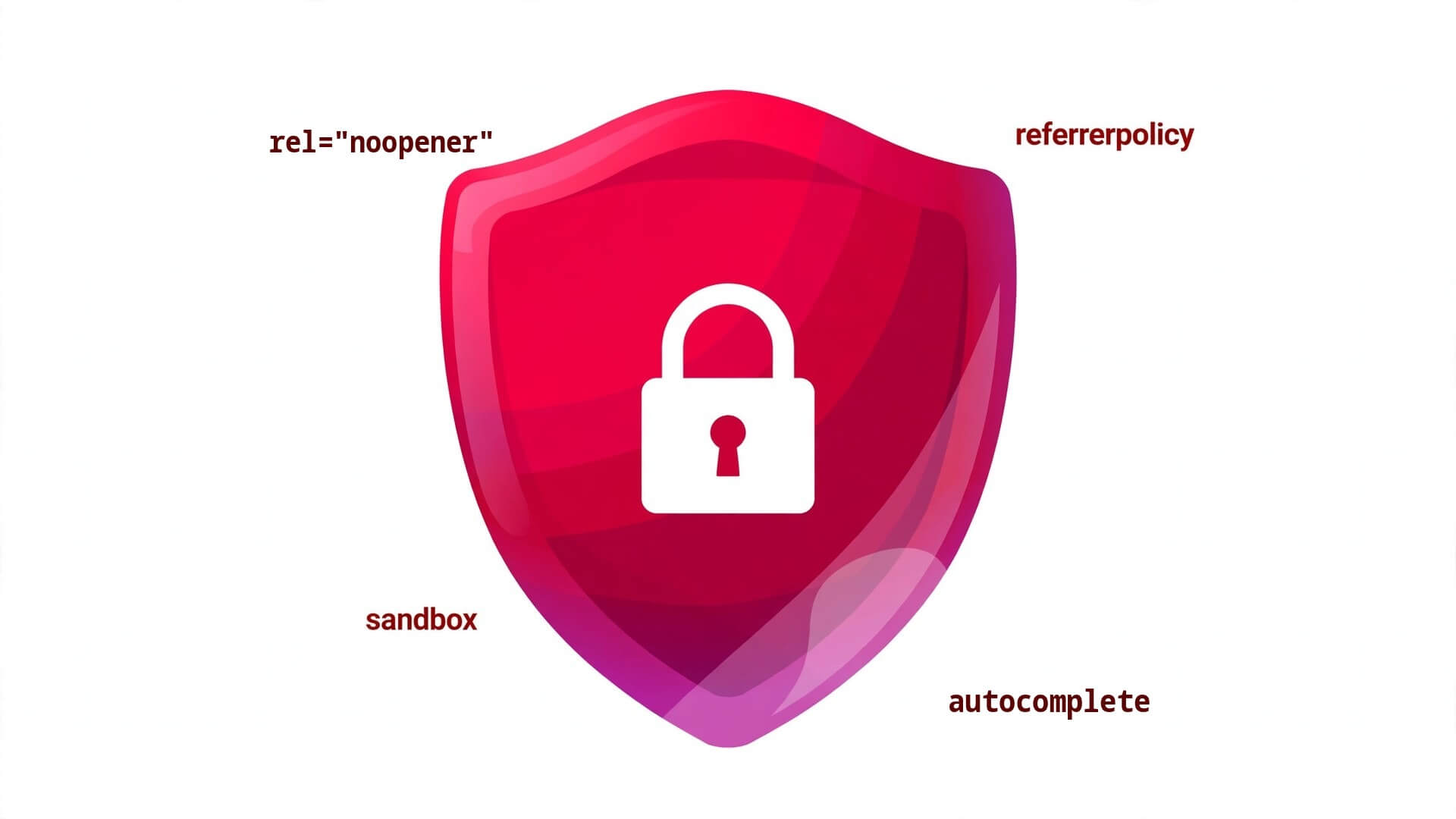
rel noopener Explained: HTML Security Attributes Guide
rel noopener is the first of four HTML security attributes that close real holes in your pages — small additions to tags you already use that stop a link from letting a stranger’s page hijack your visitor’s tab, an image from leaking the private URL your visitor came from, an embedded widget from running scripts with your page’s privileges, and a browser’s helpful autofill from handing a credit-card number to the wrong form. Alongside it, referrerpolicy on links and media, sandbox on iframes, and autocomplete on form fields complete the set: four attributes, a few words each, and every one of those attacks stops at the attribute.
This guide covers all four HTML security attributes the way they actually work in 2026: what rel="noopener" stops and why every target="_blank" link needs it, the full rel value list and which ones search engines actually read, how referrerpolicy controls the Referer header (and why the default leaks more than you think), how sandbox turns an iframe into a padded cell you can unlock one permission at a time, and how autocomplete protects passwords and payment details without fighting password managers. Every example is a complete, runnable HTML document you can copy, open in a browser, and test.
Quick Takeaways
- Every link with
target="_blank"needsrel="noopener"(orrel="noopener noreferrer"). Without it, the page you link to can reach back throughwindow.openerand redirect your page — the tabnabbing attack. relalso carries SEO values search engines read:nofollow(do not pass ranking credit),sponsored(paid link), andugc(user-generated content). Security and SEO values can be combined in one attribute:rel="noopener sponsored".referrerpolicycontrols how much of your page’s URL the browser sends to the next site. The modern default isstrict-origin-when-cross-origin; useno-referreron links to untrusted sites and on any page with private URLs.sandboxon an<iframe>strips scripts, forms, popups, and top-level navigation by default. Add back only the permissions the embed needs withallow-scripts,allow-same-origin, and friends — never addallow-scriptsandallow-same-origintogether to an embed you do not trust.autocompleteis a security attribute as well as a convenience one.autocomplete="off"is ignored by browsers on login fields, so use the real tokens instead:new-passwordfor registration,current-passwordfor login,one-time-codefor 2FA, andcc-numberonly on genuine checkout forms.- All four attributes degrade gracefully: an old browser that does not understand them simply ignores them, so adding them costs nothing and breaks nothing.
1. Why HTML Needs Security Attributes
HTML was designed in an era when a web page was a document, not an application. The original tags assumed every link was friendly, every embedded frame was trustworthy, and every form field belonged to the page that drew it. None of those assumptions survived the modern web — and the fixes did not come as new tags. They came as attributes on the tags that already existed.
Four distinct threats grew out of those assumptions, and each one has an attribute-shaped answer:
Tabnabbing — the link that bites back. When your page links to another site with target="_blank", the new tab keeps a live reference to your page through window.opener. The destination page can use that reference to change your page’s address — typically to a pixel-perfect fake of your login page — while your visitor is looking the other way. The visitor switches back to your tab, sees a login form, types their password, and hands it to the attacker. Nothing about the link looked dangerous.
Referrer leakage — the URL that talks too much. Every time a browser follows a link, loads an image, or fetches a script from another site, it sends a Referer header carrying the URL of the page the request came from. That URL can contain a password-reset token, a private document ID, a search query, or a session parameter. The destination site — and every analytics script on it — receives all of it, silently.
Embedded content with full privileges. An <iframe> is a whole other page running inside yours. By default it can run scripts, submit forms, open popups, and navigate your visitor’s top-level window. A third-party widget, an ad, or a user-supplied embed gets all of that for free unless you restrict it.
Autofill in the wrong hands. Browsers remember passwords, addresses, and card numbers to save typing. That is a feature — until a form on a page the user does not fully trust asks for a field the browser is happy to fill, or a hidden field silently collects data the user never meant to give. The autocomplete attribute tells the browser exactly what each field is for, and which fields it should never fill.
The four attributes in this guide are the standard answers. They are small — a few words each — they work in every modern browser, and they fail safe: a browser that does not recognise one simply ignores it. There is no reason a page in 2026 should ship without them.
| Threat | Attack in one line | The attribute | What it does |
|---|---|---|---|
| Tabnabbing | Linked page rewrites your tab via window.opener | rel="noopener" | Severs the opener link |
| Referrer leakage | Private URLs sent to other sites in the Referer header | referrerpolicy | Controls how much of the URL is sent |
| Malicious embed | Iframe scripts and navigation run with your page’s trust | sandbox | Strips iframe powers until you grant them |
| Autofill abuse | Browser fills sensitive fields on the wrong form | autocomplete | Labels each field; blocks filling where it must not happen |
2. rel=”noopener” and rel=”noreferrer”: Stop Tabnabbing
The most important security attribute in HTML is also the easiest to forget. It lives on the humble link, and it fixes an attack most developers have never heard of — until it happens to their users.
Here is the attack, step by step. Your page has a link: <a href="https://example.com" target="_blank">Read more</a>. A visitor clicks it. The browser opens example.com in a new tab — and, because the link used target="_blank", the new page receives a reference to your page in the JavaScript property window.opener. That reference is a live handle on your tab: the destination page can read your page’s location, and — this is the dangerous part — it can set it. The attacker’s page runs one line of JavaScript, window.opener.location = "https://fake-login.example.com", and your tab silently navigates to a convincing copy of your login page. Your visitor, who never left your site in their mind, switches back to the tab, sees a login screen on what they believe is your site, and types their password into the attacker’s form.
The page the visitor opened did not need to be malicious-looking. It could be a legitimate-looking blog, a shortened link, or a site that was compromised after you linked to it. The vulnerability is in your link, not in theirs.
The fix is one word: rel="noopener". It tells the browser to open the new tab without an opener reference, so window.opener is null on the destination page and the attack cannot even start. Add noreferrer alongside it — rel="noopener noreferrer" — and the browser also strips the Referer header from the request, so the destination never learns which of your pages the visitor came from. Modern browsers now imply noopener behaviour for target="_blank" links, but you should still write the attribute explicitly: it protects visitors on older browsers, it documents the intent for the next developer, and automated security scanners flag links that lack it.
The rule is simple and absolute: every link with target="_blank" gets rel="noopener", with noreferrer added whenever the destination is a site you do not control. Internal links that open in the same tab need neither. Links that open in the same tab cannot tabnab, because there is no second tab and no opener to exploit.
This is a complete, runnable demonstration. Open it, click the link, and watch what the destination page can — and cannot — do to the page that linked to it.
<!DOCTYPE html>
<html lang="en">
<head>
  <meta charset="utf-8">
  <meta name="viewport" content="width=device-width, initial-scale=1">
  <title>Tabnabbing Demo — rel="noopener" in Action</title>
  <style>
    body { font-family: system-ui, sans-serif; max-width: 640px; margin: 2rem auto; padding: 0 1rem; line-height: 1.6; }
    .safe { background: #e8f5e9; border: 2px solid #2e7d32; padding: 1rem; border-radius: 8px; }
    .unsafe { background: #fdecea; border: 2px solid #c62828; padding: 1rem; border-radius: 8px; }
    a { font-weight: bold; }
    code { background: #f4f4f4; padding: 0.1em 0.35em; border-radius: 4px; }
  </style>
</head>
<body>
  <h1>Tabnabbing: the link that bites back</h1>

  <p>Both links below open the same destination in a new tab. The only
  difference is the <code>rel</code> attribute — and it is the difference
  between a safe link and an open door.</p>

  <div class="unsafe">
    <h2>Unsafe link — no protection</h2>
    <p><a href="https://example.com" target="_blank">Open example.com (unsafe)</a></p>
    <pre><code><a href="https://example.com" target="_blank"></code></pre>
    <p>The new tab receives <code>window.opener</code> — a live handle on
    <em>this</em> page. A hostile destination can redirect this tab with
    one line of JavaScript.</p>
  </div>

  <div class="safe">
    <h2>Safe link — protected</h2>
    <p><a href="https://example.com" target="_blank" rel="noopener noreferrer">Open example.com (safe)</a></p>
    <pre><code><a href="https://example.com" target="_blank" rel="noopener noreferrer"></code></pre>
    <p>The new tab gets <code>window.opener === null</code> and no Referer
    header. The destination cannot reach back to this page at all.</p>
  </div>

  <h2>How to test it yourself</h2>
  <p>Open this page, right-click the safe link, and inspect it — then run
  this snippet in the destination tab's console: <code>window.opener</code>.
  On the safe link it prints <code>null</code>. On the unsafe link it prints
  a live <code>Window</code> object pointing back at this page.</p>
</body>
</html>
One more detail worth knowing: rel="noopener" also has a performance side effect. A new tab that keeps an opener reference runs in the same process as the page that opened it on some browsers, which means a heavy page in the new tab can slow down yours. Severing the opener lets the browser put the new tab in its own process. Security and speed, from the same word.
3. The rel Values Cheat Sheet
rel does far more than security. It is a general-purpose label that tells the browser — and search engines — what the linked page is to yours. The values fall into three groups: security values, SEO values, and navigation values. They combine freely in one attribute, separated by spaces, and the order does not matter.
The SEO values are the ones with direct ranking consequences. nofollow tells search engines not to pass ranking credit to the linked page — use it for links you cannot vouch for, such as links in user comments. sponsored marks a paid link or advertisement, and ugc marks a link in user-generated content; Google introduced both in 2019 and expects them on the links they describe. Using nofollow on a paid link is accepted, but sponsored is the correct, specific value, and getting it right keeps you on the right side of Google’s link-spam rules.
| rel value | Group | What it means | When to use it |
|---|---|---|---|
noopener | Security | New tab gets no window.opener | Every target="_blank" link |
noreferrer | Security | No Referer header sent to the destination | Links to sites you do not control |
nofollow | SEO | Do not pass ranking credit | Untrusted links, comments, forums |
sponsored | SEO | This is a paid link or ad | Affiliate links, sponsored posts |
ugc | SEO | Link is user-generated content | Comments, forum posts, reviews |
external | Hint | Link leaves this site | Styling external links with CSS (a[rel~="external"]) |
opener | Security | Explicitly allow window.opener | Almost never — only when the new tab must control the opener |
author | Navigation | Link points to the author’s page | Author bylines |
help | Navigation | Link points to help documentation | Help links in apps and forms |
license | Navigation | Link points to the content’s licence | Footer licence links |
prev / next | Navigation | Link is the previous / next page in a series | Paginated articles and guides |
alternate | Navigation | Link is an alternate version (language, feed, print) | RSS feeds, translations, print versions |
A link can carry several values at once, and real pages usually do. An affiliate link that opens in a new tab is rel="noopener sponsored". A link in a comment that opens in a new tab is rel="noopener ugc". A paid link in a comment is rel="noopener sponsored ugc". Write the security value first out of habit, then the SEO values — the browser does not care about order, but the next person reading your code will thank you.
One trap to avoid: rel="nofollow" does not make a link safe, and rel="noopener" does not affect SEO. They solve different problems, and a link can need both. The other trap is rel="opener", which explicitly opts back into the opener behaviour — it exists for the rare case where the new tab genuinely needs to control the page that opened it, such as an OAuth popup returning a token. If you do not know why you would use it, you do not need it.
4. referrerpolicy: Control What the Browser Tells Other Sites
Every request a browser makes to another site carries a Referer header — note the historic misspelling, baked into the HTTP standard since the 1990s — containing the URL of the page the request came from. That header exists so site owners can see where their traffic comes from, and analytics tools depend on it. The problem is that the URL it carries can be far more revealing than the page’s title.
Consider a password-reset link: https://example.com/reset?token=9f3a7c1e. If that page contains a link, an image, or a script loaded from another site, the full URL — token included — goes to that site in the Referer header. The same applies to private document URLs, search result pages carrying the query string, and admin pages with session parameters in the address bar. The destination site did not hack anything; your browser handed it the secret as a matter of routine.
referrerpolicy controls exactly how much of the URL the browser sends, and when. You can set it in three places: as an attribute on individual links, images, scripts, and iframes; as a <meta name="referrer" content="..."> tag that sets the default for the whole page; or as an HTTP Referrer-Policy header sent by your server, which overrides both. The attribute wins over the meta tag for that element, and the header wins over everything — so set the header if you control the server, the meta tag if you do not, and the attribute for the exceptions.
The values form a ladder from total silence to full disclosure:
| referrerpolicy value | What the browser sends | Best for |
|---|---|---|
no-referrer | Nothing, ever | Links to untrusted sites; pages with tokens in the URL |
no-referrer-when-downgrade | Full URL, except when going from HTTPS to HTTP | The old default; still common, but leaks on same-protocol links |
same-origin | Full URL to your own site, nothing to other sites | Private apps where cross-site referrers are never needed |
strict-origin | Only the origin (https://example.com) to every site | When the destination needs to know the source domain, nothing more |
strict-origin-when-cross-origin | Full URL to your own site, origin only to other sites | The modern default — use this unless you have a reason not to |
origin | Only the origin, to every site including your own | Simpler than strict-origin; loses the path even on same-origin requests |
origin-when-cross-origin | Full URL to your own site, origin only to other sites | Like strict-origin-when-cross-origin but sends the origin even on HTTPS→HTTP downgrades |
unsafe-url | Full URL to everyone, always | Almost never — only for legacy analytics that genuinely need the full URL |
The default in every modern browser is strict-origin-when-cross-origin: your own site sees the full URL, other sites see only your domain. That is a good default, and for most pages you do not need to change it. The cases that need an explicit policy are the ones where even the origin is too much (a link from a private admin page to an external site — use no-referrer), or where a specific link must carry the full URL to a trusted partner (use unsafe-url on that link only, and think twice).
This is a complete, runnable page showing all three levels — page default, per-link override, and per-image override — so you can see how they layer.
<!DOCTYPE html>
<html lang="en">
<head>
  <meta charset="utf-8">
  <meta name="viewport" content="width=device-width, initial-scale=1">
  <!-- Page-wide default: other sites see only our origin, never the path -->
  <meta name="referrer" content="strict-origin-when-cross-origin">
  <title>referrerpolicy — Controlling the Referer Header</title>
  <style>
    body { font-family: system-ui, sans-serif; max-width: 640px; margin: 2rem auto; padding: 0 1rem; line-height: 1.6; }
    code { background: #f4f4f4; padding: 0.1em 0.35em; border-radius: 4px; }
    .card { border: 1px solid #ddd; border-radius: 8px; padding: 1rem; margin: 1rem 0; }
  </style>
</head>
<body>
  <h1>referrerpolicy in three layers</h1>

  <div class="card">
    <h2>1. Page default (this page)</h2>
    <p>The <code><meta name="referrer"></code> tag in the head sets
    <code>strict-origin-when-cross-origin</code> for everything on this
    page: same-origin requests carry the full URL, cross-origin requests
    carry only the origin.</p>
  </div>

  <div class="card">
    <h2>2. Per-link override — send nothing</h2>
    <p><a href="https://example.com" referrerpolicy="no-referrer">Visit example.com</a>
    — this link sends no Referer header at all, overriding the page default.
    Use it for links from pages with tokens or private IDs in the URL.</p>
    <pre><code><a href="https://example.com" referrerpolicy="no-referrer"></code></pre>
  </div>

  <div class="card">
    <h2>3. Per-image override — origin only</h2>
    <p>Images leak referrers too. An image from another site sends your
    page's URL unless you stop it:</p>
    <pre><code><img src="https://cdn.example.com/logo.png"
     alt="Partner logo"
     referrerpolicy="no-referrer"></code></pre>
    <img src="https://via.placeholder.com/320x80?text=Partner+logo"
         alt="Partner logo" referrerpolicy="no-referrer" width="320" height="80">
  </div>

  <h2>How to verify it</h2>
  <p>Open your browser's developer tools, go to the Network tab, click a
  link, and inspect the request headers on the destination. With
  <code>no-referrer</code> there is no <code>Referer</code> header at all;
  with <code>strict-origin-when-cross-origin</code> a cross-origin request
  shows only the origin.</p>
</body>
</html>
A note on the server-side option, because it is the strongest one: if you control your server or your hosting panel, send the policy as an HTTP header — Referrer-Policy: strict-origin-when-cross-origin — and it applies to every page and every resource, including pages where you forgot the meta tag. In Apache it is one line in .htaccess; in Nginx, one add_header line. Do that, and use the attribute only for the exceptions.
5. sandbox: Lock Down Embedded Content
An <iframe> is a page within a page — and by default it arrives with almost the same powers as the page that embedded it. It can run JavaScript, submit forms, open popups, navigate the visitor’s top-level window, and, if it is same-origin, reach into your page’s DOM. That is a lot of trust to extend to a third-party widget, an advertisement, or a piece of user-supplied content.
sandbox takes all of it away. Add the bare attribute — <iframe sandbox src="..."> — and the embedded page runs in a padded cell: no scripts, no forms, no popups, no plugins, no top-level navigation, and no access to your page’s storage or DOM, even if the embedded page is from your own domain. It is the single most powerful security attribute in HTML, and the safest way to embed content you did not write.
Then you add back exactly the permissions the embed needs, one token at a time. Each token unlocks one capability and nothing else:
| sandbox token | What it allows | When to use it |
|---|---|---|
allow-scripts | JavaScript runs inside the iframe | Interactive widgets, maps, embeds that need JS |
allow-same-origin | Iframe keeps its real origin (storage, cookies, DOM access if same-origin) | Your own pages embedded in your own site |
allow-forms | Forms can be submitted | Embedded contact or search forms |
allow-popups | Links and scripts can open new windows | Embeds with share or help links |
allow-popups-to-escape-sandbox | Popups open without sandbox restrictions | Rare — popups that must behave like normal tabs |
allow-top-navigation | Iframe can navigate the top-level window | Only for embeds you fully trust |
allow-top-navigation-by-user-activation | Iframe can navigate the top level, but only after a real user click | Safer version of the above |
allow-modals | alert(), confirm(), prompt() work | Almost never — modals in embeds are usually an attack |
allow-downloads | The iframe can trigger downloads | Embedded document viewers |
allow-orientation-lock, allow-pointer-lock, allow-presentation, allow-storage-access-by-user-activation | Narrow device and storage permissions | Media players, games, storage-dependent widgets |
The golden rule — the one that has its own warning in the HTML specification — is never combine allow-scripts with allow-same-origin on an embed you do not fully trust. Together, those two tokens let the embedded page remove its own sandbox attribute and escape the cell entirely. It is the equivalent of locking the door and taping the key to it. If the embed needs scripts, serve it from a different origin so allow-same-origin cannot help it; if it needs same-origin access, do not give it scripts. Pick one.
A second rule: a sandboxed iframe is still an iframe, and the embedded page still knows it is being framed. If the content is genuinely hostile — a phishing page, a drive-by download — no sandbox token makes it safe to show your visitors. Sandbox restricts what the embed can do; it does not make a malicious page benign. Do not embed content you would not link to.
This is a complete, runnable example: a page embedding a small interactive widget in a sandbox, with only the permissions it needs — scripts on, same-origin off, forms on — and a second embed with no permissions at all to show the contrast.
<!DOCTYPE html>
<html lang="en">
<head>
  <meta charset="utf-8">
  <meta name="viewport" content="width=device-width, initial-scale=1">
  <title>sandbox — Locking Down an Embedded Page</title>
  <style>
    body { font-family: system-ui, sans-serif; max-width: 720px; margin: 2rem auto; padding: 0 1rem; line-height: 1.6; }
    iframe { width: 100%; height: 220px; border: 2px solid #333; border-radius: 8px; }
    code { background: #f4f4f4; padding: 0.1em 0.35em; border-radius: 4px; }
    .note { background: #fff8e1; border-left: 4px solid #f9a825; padding: 0.75rem 1rem; }
  </style>
</head>
<body>
  <h1>sandbox: least privilege for iframes</h1>

  <h2>Widget embed — scripts and forms only</h2>
  <p>This embed needs JavaScript and a form, and nothing else. It cannot
  navigate this page, open popups, or touch our storage:</p>
  <pre><code><iframe src="widget.html"
        sandbox="allow-scripts allow-forms"
        title="Feedback widget"></iframe></code></pre>
  <iframe src="https://example.com" sandbox="allow-scripts allow-forms" title="Feedback widget"></iframe>

  <h2>Static embed — no permissions at all</h2>
  <p>With a bare <code>sandbox</code> attribute the embed cannot run scripts,
  submit forms, or navigate anywhere. Use this for content that only needs
  to be seen:</p>
  <pre><code><iframe src="https://example.com"
        sandbox
        title="Static preview"></iframe></code></pre>
  <iframe src="https://example.com" sandbox title="Static preview"></iframe>

  <div class="note">
    <strong>Never do this with untrusted content:</strong>
    <code>sandbox="allow-scripts allow-same-origin"</code> — together,
    those two tokens let the embedded page remove its own sandbox and
    escape. Give an untrusted embed scripts <em>or</em> same-origin access,
    never both.
  </div>

  <h2>Always add a title</h2>
  <p>An iframe without a <code>title</code> is announced to screen-reader
  users as a mystery frame. Describe the embed — "Feedback widget",
  "Map of our office" — so assistive technology can name it.</p>
</body>
</html>
Note the src="https://example.com" in the example is a placeholder for whatever you actually embed — a widget, a map, a video, a document preview. The sandbox attribute works the same regardless of the source. Also note that sandbox works alongside allow (the Permissions Policy attribute for camera, microphone, geolocation and friends) and loading="lazy" — the three attributes solve three different problems and combine without conflict.
6. autocomplete: The Attribute That Protects Your Users’ Data
autocomplete is the attribute most developers get wrong, because its name suggests a convenience feature and its most famous value — off — no longer does what people think it does. It is, in reality, a security control: it tells the browser exactly what each field contains, so the browser can fill the right data into the right field — and, just as importantly, refuse to fill the wrong data into the wrong one.
The problem it solves is real. Browsers remember passwords, addresses, and card numbers, and they offer to fill them whenever a form looks like the one they were saved on. A page that labels its fields vaguely — or not at all — invites the browser to guess. The browser guesses wrong in two dangerous ways: it fills a credit-card number into a field on a page that only asked for a name, or it fills saved credentials into a lookalike form on a phishing page that copied your layout. Precise autocomplete tokens remove the guessing.
The second problem is autocomplete="off" itself. Developers add it to login and payment forms hoping to stop the browser saving sensitive data. Browsers ignore it on login, password, and credit-card fields — deliberately, because password managers are safer than asking users to memorise passwords, and because disabling autofill pushes users toward weaker, reused passwords. If you want a field left alone, you need the right token, not off:
| autocomplete value | What it tells the browser | Use it on |
|---|---|---|
off | Do not autofill this field (browsers may ignore it on credentials) | Search boxes, one-off inputs, CAPTCHA-adjacent fields |
on | Autofill allowed; browser guesses the field’s purpose | Generic fallback only — prefer a specific token |
name | The user’s full name | Name fields |
email | Email address | Email fields |
username | Username or account name | Login username fields |
current-password | The password for this account, right now | Login password fields |
new-password | A password the user is creating | Registration and password-change forms |
one-time-code | A one-time code (2FA / SMS / email) | Verification code fields — also lets mobile browsers offer the code from the SMS |
cc-name, cc-number, cc-exp, cc-csc | Cardholder name, card number, expiry, security code | Genuine checkout forms only |
cc-exp-month, cc-exp-year | Expiry month / year separately | Split expiry inputs |
street-address, address-line1, postal-code, country-name | Address parts | Checkout and shipping forms |
tel | Phone number | Phone fields |
The tokens that matter most for security are three. new-password on registration and password-change forms tells the browser to offer a generated strong password instead of filling an old one — and it stops the browser filling the user’s current password into a “new password” field, which is a classic bug that locks users out. current-password on login forms tells the browser this field takes the existing password, so it fills the right credential and never a newly generated one. one-time-code on verification fields is the only token that lets mobile browsers suggest the code straight from an incoming SMS, which is both more convenient and more secure than asking users to memorise and retype six digits.
There are also fields the browser must never fill, and autocomplete is how you say so. A honeypot field designed to catch bots should carry autocomplete="off" so a real browser never fills it and a bot that fills everything gives itself away. A field asking for a one-off value — a promo code, a reference number, a coupon — should be off too, so the browser does not offer a saved address into it. And a field that collects something sensitive but non-standard, such as a security answer or a recovery key, should be off with a clear label explaining why.
This is a complete, runnable example: a registration form and a login form, each labelled so the browser — and any password manager — can do exactly the right thing.
<!DOCTYPE html>
<html lang="en">
<head>
  <meta charset="utf-8">
  <meta name="viewport" content="width=device-width, initial-scale=1">
  <title>autocomplete — Labelling Forms So Browsers Fill Them Right</title>
  <style>
    body { font-family: system-ui, sans-serif; max-width: 560px; margin: 2rem auto; padding: 0 1rem; line-height: 1.6; }
    form { border: 1px solid #ddd; border-radius: 8px; padding: 1.25rem; margin: 1.5rem 0; }
    label { display: block; font-weight: bold; margin: 0.75rem 0 0.25rem; }
    input { width: 100%; box-sizing: border-box; padding: 0.6rem; border: 1px solid #999; border-radius: 4px; font-size: 1rem; }
    button { margin-top: 1rem; padding: 0.6rem 1.25rem; font-size: 1rem; cursor: pointer; }
    code { background: #f4f4f4; padding: 0.1em 0.35em; border-radius: 4px; }
  </style>
</head>
<body>
  <h1>autocomplete: label every field by its purpose</h1>

  <form action="/register" method="post" autocomplete="on">
    <h2>Create an account</h2>

    <label for="reg-name">Full name</label>
    <input type="text" id="reg-name" name="name" autocomplete="name" required>

    <label for="reg-email">Email address</label>
    <input type="email" id="reg-email" name="email" autocomplete="email" required>

    <label for="reg-username">Choose a username</label>
    <input type="text" id="reg-username" name="username" autocomplete="username" required>

    <label for="reg-password">Choose a password</label>
    <!-- new-password: the browser offers a generated strong password
         instead of filling the saved login password -->
    <input type="password" id="reg-password" name="password"
           autocomplete="new-password" required>

    <button type="submit">Create account</button>
  </form>

  <form action="/login" method="post" autocomplete="on">
    <h2>Log in</h2>

    <label for="login-user">Username or email</label>
    <input type="text" id="login-user" name="username" autocomplete="username" required>

    <label for="login-pass">Password</label>
    <!-- current-password: the browser fills the saved password for
         THIS account — never a generated one -->
    <input type="password" id="login-pass" name="password"
           autocomplete="current-password" required>

    <button type="submit">Log in</button>
  </form>

  <form action="/verify" method="post">
    <h2>Two-factor verification</h2>
    <label for="otp">Six-digit code</label>
    <!-- one-time-code: mobile browsers offer the code from the SMS -->
    <input type="text" id="otp" name="code" autocomplete="one-time-code"
           inputmode="numeric" maxlength="6" required>
    <button type="submit">Verify</button>
  </form>

  <h2>What not to do</h2>
  <p><code>autocomplete="off"</code> on a login form does not stop the
  browser saving the password — browsers ignore it there on purpose.
  Use <code>current-password</code> and <code>new-password</code> instead,
  and reserve <code>off</code> for genuinely one-off fields such as promo
  codes and honeypot inputs.</p>
</body>
</html>
One final note on autocomplete: it is an accessibility feature as much as a security one. Screen readers and switch-control users rely on the same field labels to navigate a form, and a form whose fields are correctly tokenised is a form that works for password managers, autofill, and assistive technology alike. Getting it right once pays off in three directions.
7. Putting It All Together: A Secure Page Template
The four attributes rarely appear alone. A real page has external links, embedded content, and a form — often all three. Here is a single complete document that uses every attribute in this guide in its proper place: safe external links, a sandboxed embed, a referrer policy for the page, and a form whose fields are correctly labelled. Copy it as a starting point and adapt the values to your own pages.
<!DOCTYPE html>
<html lang="en">
<head>
  <meta charset="utf-8">
  <meta name="viewport" content="width=device-width, initial-scale=1">
  <!-- Page-wide referrer policy: other sites see only our origin -->
  <meta name="referrer" content="strict-origin-when-cross-origin">
  <title>Secure Page Template — HTML Security Attributes</title>
  <style>
    body { font-family: system-ui, sans-serif; max-width: 680px; margin: 2rem auto; padding: 0 1rem; line-height: 1.6; }
    iframe { width: 100%; height: 200px; border: 2px solid #333; border-radius: 8px; }
    form { border: 1px solid #ddd; border-radius: 8px; padding: 1.25rem; margin: 1.5rem 0; }
    label { display: block; font-weight: bold; margin: 0.75rem 0 0.25rem; }
    input { width: 100%; box-sizing: border-box; padding: 0.6rem; border: 1px solid #999; border-radius: 4px; font-size: 1rem; }
    button { margin-top: 1rem; padding: 0.6rem 1.25rem; font-size: 1rem; cursor: pointer; }
  </style>
</head>
<body>
  <h1>A page that uses all four HTML security attributes</h1>

  <h2>External links — safe by default</h2>
  <p>Read the full specification on
    <a href="https://html.spec.whatwg.org/" target="_blank"
       rel="noopener noreferrer">the WHATWG HTML Standard</a>,
    and see our <a href="/guides/forms">forms guide</a> for the companion
    techniques.</p>

  <h2>Embedded content — sandboxed</h2>
  <p>The map below runs with scripts only. It cannot navigate this page,
  open popups, or read our storage:</p>
  <iframe src="https://example.com/map" title="Office location map"
          sandbox="allow-scripts" loading="lazy"></iframe>

  <h2>Sign up — fields labelled for the browser</h2>
  <form action="/signup" method="post">
    <label for="name">Full name</label>
    <input type="text" id="name" name="name" autocomplete="name" required>

    <label for="email">Email address</label>
    <input type="email" id="email" name="email" autocomplete="email" required>

    <label for="password">Choose a password</label>
    <input type="password" id="password" name="password"
           autocomplete="new-password" required>

    <button type="submit">Create account</button>
  </form>

  <h2>Checklist for every new page</h2>
  <ul>
    <li>Every <code>target="_blank"</code> link has <code>rel="noopener"</code></li>
    <li>Links to sites you do not control also carry <code>noreferrer</code></li>
    <li>Paid and user-generated links carry <code>sponsored</code> or <code>ugc</code></li>
    <li>Referrer policy set — header if possible, meta tag if not</li>
    <li>Every iframe has <code>sandbox</code> with only the tokens it needs</li>
    <li>Never <code>allow-scripts</code> + <code>allow-same-origin</code> together on untrusted embeds</li>
    <li>Every form field has a specific <code>autocomplete</code> token</li>
    <li>Login uses <code>current-password</code>; registration uses <code>new-password</code></li>
  </ul>
</body>
</html>
Run through that checklist on every page you ship, and the four holes this guide opened with — tabnabbing, referrer leakage, privileged embeds, and autofill abuse — are closed before the page ever reaches a visitor.
8. Common HTML Security Mistakes
| Mistake | What happens | Fix |
|---|---|---|
target="_blank" without rel="noopener" | Linked page can redirect your tab via window.opener (tabnabbing) | Add rel="noopener" to every new-tab link |
noreferrer on internal links | Your own analytics lose the referrer for no benefit | Use noreferrer only for links to sites you do not control |
Paid links marked only nofollow | Google expects sponsored on paid links; nofollow alone is vague | Use rel="sponsored" (plus noopener for new-tab links) |
| No referrer policy on pages with tokens in the URL | Password-reset and private URLs leak to third parties in the Referer header | Set Referrer-Policy: strict-origin-when-cross-origin (header) or a meta tag; no-referrer on the riskiest links |
unsafe-url as a page-wide policy | Full URLs sent to every third party, always | Use strict-origin-when-cross-origin by default; unsafe-url on single trusted links only |
sandbox with no tokens on an embed that needs scripts | Widget renders dead — no interactivity at all | Add only the tokens the embed needs (allow-scripts, allow-forms) |
allow-scripts + allow-same-origin together on untrusted embeds | Embedded page can remove its own sandbox and escape | Never combine them on untrusted content; serve scripted embeds from a different origin |
Iframe without title | Screen readers announce an unnamed frame | Add a descriptive title to every iframe |
autocomplete="off" on login forms | Browsers ignore it; users get no password-manager help and reuse weak passwords | Use current-password for login, new-password for registration |
new-password on a login form | Browser offers a generated password where the existing one belongs | Login fields are always current-password |
No autocomplete tokens at all | Browser guesses field purposes; card numbers and credentials land in the wrong fields | Give every field its specific token |
Trusting sandbox to make a malicious embed safe | Sandbox limits what an embed can do; a phishing page inside it is still a phishing page | Do not embed content you would not link to |
Frequently Asked Questions
1. Is rel=”noopener” still necessary in 2026?
Yes. Modern browsers now imply noopener behaviour for target="_blank" links, but the attribute is still the correct, explicit way to declare it. It protects visitors on older browsers, it documents the intent for the next developer who reads your code, and automated security scanners — including the ones that audit your site for clients — flag links that lack it. It costs one word and there is no downside to writing it.
2. What is the difference between noopener and noreferrer?
noopener severs the window.opener link between the new tab and your page, which stops tabnabbing. noreferrer stops the browser sending the Referer header to the destination, which stops the destination learning which of your pages the visitor came from. They solve different problems and are usually used together on external links — rel="noopener noreferrer" — but a link can need one without the other: an internal link opened in a new tab needs noopener but has no reason to hide its referrer.
3. Which referrerpolicy value should I use?
strict-origin-when-cross-origin for almost everything: your own site sees the full URL, other sites see only your domain. It is the modern browser default, and setting it explicitly (as a header or meta tag) makes the behaviour deliberate rather than accidental. Use no-referrer on links from pages whose URLs contain tokens or private IDs, and on links to sites you do not trust at all. Avoid unsafe-url except on a single link to a trusted partner that genuinely needs the full URL.
4. Can a sandboxed iframe still run JavaScript?
Only if you allow it. A bare sandbox attribute blocks scripts entirely; the embedded page renders as static content. Add allow-scripts and scripts run — but inside the sandbox, without access to your page’s DOM or storage (unless you also add allow-same-origin, which you should not do for untrusted content). The point of sandbox is not to ban scripts; it is to make every capability an explicit, deliberate choice.
5. Why do browsers ignore autocomplete=”off” on password fields?
Because disabling the password manager makes security worse, not better. When browsers cannot save or fill a password, users fall back to short, memorable, reused passwords — and reuse is a far bigger risk than autofill. Browsers therefore ignore off on login, password, and credit-card fields and expect you to use the precise tokens instead: current-password for login, new-password for registration and password changes, and one-time-code for verification codes. off still works on genuinely one-off fields such as promo codes and honeypot inputs.
Conclusion
HTML security attributes are the cheapest security upgrade on the web. Four attributes, a few words each, no JavaScript, no server changes, no performance cost — and together they close four holes that are open on most of the pages you visit every day. A link that cannot be turned against your visitors, a Referer header that carries only what the destination needs, an embedded page that holds only the permissions you granted it, and a form the browser fills correctly because every field says what it is.
Make them a habit, not a project. Add rel noopener (rel="noopener") to every new-tab link as you write it, not in a later audit. Set the referrer policy once, at the server or in a meta tag, and let it cover every page. Sandbox every embed by default and unlock permissions one token at a time. Label every form field with its autocomplete token when you build the form, not after a user reports a wrong autofill. None of these is a feature your visitors will notice — that is the point. Security attributes are invisible when they work, and the day they matter is the day a visitor never finds out they were needed.
Next, put the form skills from this guide to work on a real project: ten beginner HTML projects that turn these techniques into pages you can actually ship. Start with the projects guide, and keep building from there.
Related Articles You’ll Love
- The Power of Hyperlinks: Enhancing Web Navigation and User Experience — the link fundamentals behind
rel: how hyperlinks work, and why the attributes on them matter as much as the destination. - Exploring the Power of iframe tag in HTML5: A Comprehensive Guide — everything the iframe can do before you sandbox it: embedding, sizing, lazy loading, and the attributes that control it.
- Interactive HTML Forms: Using datalist, inputmode, and Validation Attributes (Full Guide) — the form attributes that pair with
autocomplete: datalist suggestions, inputmode keyboards, and built-in validation. - HTML Meta Tags: Complete SEO List Every Page Needs 2026 — the meta tags that belong in the same head as your referrer policy, including the ones that control search and social previews.
- HTML Email: Tables, Inline CSS & Templates That Work — the other place where HTML security attributes behave differently: what works in the inbox, and why email clients strip what browsers allow.


No comment