CVE-2026-115560: New PHP Remote Code Execution Vulnerability and How to Mitigate It
TL;DR: What You Need to Know
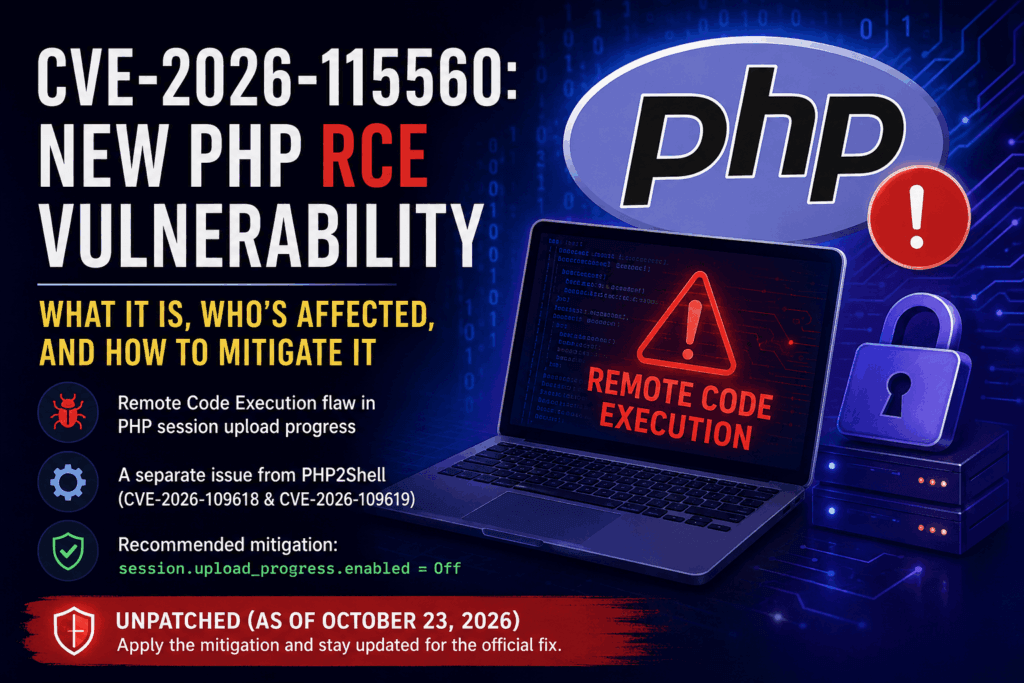
CVE-2026-115560 is a newly disclosed PHP remote code execution (RCE) vulnerability involving session upload progress. It is a separate vulnerability from PHP2Shell, which refers to CVE-2026-109618 and CVE-2026-109619.
The PHP development team published an informational notice about CVE-2026-115560 on October 23, 2026. Unlike the earlier PHP2Shell vulnerabilities, this issue affects a narrow combination of PHP configuration settings and application behavior.
The issue can arise when an application:
- Configures
session.serialize_handlerasphp_binaryorphp_serialize.- Changes the setting to
phpat runtime usingini_set()before callingsession_start().- Leaves PHP session upload progress enabled.
PHP recommends disabling session upload progress until a fix is available in a regular bug-fix release.
Recommended temporary mitigation:
session.upload_progress.enabled = OffApply this setting through the appropriate PHP configuration or PHP-FPM pool configuration, and restart the relevant workers.
As of October 23, 2026, PHP has not published the full technical advisory for CVE-2026-115560, confirmed the complete affected-version range, or announced the exact release that will contain the fix.
Administrators should not assume that every PHP application is vulnerable, but they should review their configurations and apply the recommended mitigation where appropriate.
Official reference: PHP Security News Archive.
What Is CVE-2026-115560?
CVE-2026-115560 is a PHP security vulnerability associated with session handling and upload progress tracking. Under a particular combination of configuration settings and application behavior, the issue can create a path to remote code execution.
Remote code execution means an attacker may be able to cause a vulnerable server to execute code that was not intended by the application developer. Depending on the circumstances and the permissions available to the affected PHP process, successful exploitation could compromise website files, expose application secrets, or affect other resources accessible to that process.
However, it is important to understand that CVE-2026-115560 is not described as a vulnerability that automatically affects every PHP website.
The PHP team has indicated that the vulnerable configuration is unusual. The relevant conditions involve changing the session serialization handler at runtime before starting a session while upload progress tracking remains enabled.
This distinction matters because a website can run PHP without using the specific combination of settings required for this issue.
Nevertheless, server administrators should not ignore the advisory simply because the configuration is uncommon. Applications sometimes change PHP settings dynamically, and administrators may not be aware of every configuration change made by frameworks, plugins, or custom application code.
The recommended response is to verify the relevant settings, disable session upload progress temporarily, and monitor official PHP security announcements for the permanent fix.
Is CVE-2026-115560 the Same as PHP2Shell?
No. CVE-2026-115560 is a separate issue from the two critical vulnerabilities commonly referred to as PHP2Shell.
The earlier PHP2Shell vulnerabilities are:
- CVE-2026-109618: A memory-corruption vulnerability associated with out-of-memory handling.
- CVE-2026-109619: A use-after-free vulnerability involving stale global state.
The PHP project released fixes for these two vulnerabilities on October 21, 2026, in PHP 8.5.12, 8.4.27, 8.3.36, and 8.2.35.
CVE-2026-115560 was announced separately on October 23, 2026.
This distinction is important for website administrators because updating to one of the PHP2Shell fixed versions does not, by itself, mean the separate CVE-2026-115560 issue has been fixed.
The PHP team recommends disabling session upload progress as a temporary mitigation while preparing the permanent fix for the newer issue.
For the earlier vulnerabilities, consult the PHP security information and the CERT-EU advisory on critical PHP vulnerabilities.
How Does CVE-2026-115560 Work?
To understand the reported vulnerability, it helps to understand three PHP configuration concepts:
- Session serialization handlers.
- Runtime configuration changes.
- Session upload progress.
The vulnerability involves the interaction between these features rather than a simple mistake in an ordinary HTML upload form.
1. Understanding PHP session serialization
PHP sessions allow an application to retain information about a visitor between HTTP requests.
For example, a website might use sessions to remember whether a visitor has logged in, maintain a shopping cart, or store temporary application state.
PHP must serialize session data when storing it and deserialize the data when reading it back. Serialization converts structured data into a representation that can be stored and later reconstructed.
PHP provides different session serialization handlers, including:
phpphp_binaryphp_serialize
These handlers use different formats to represent session data.
The setting controlling which handler is used is:
session.serialize_handlerApplications normally use a consistent session serialization configuration. Problems can arise when an application changes the handler dynamically and the change interacts with internal session-processing behavior in an unexpected way.
For CVE-2026-115560, the PHP team’s notice identifies a particular sequence involving a non-default serialization handler in the configuration, a runtime change to php, and a subsequent call to session_start().
The presence of one of these handlers alone does not establish that an application is vulnerable.
2. Understanding runtime configuration changes
PHP settings can have different configuration scopes. Some settings can be changed by application code at runtime, while others must be configured through the server or directory-level configuration.
The ini_set() function allows PHP applications to change certain configuration directives during script execution.
For example, an application may contain code that changes a setting before starting a session:
<?php

ini_set('session.serialize_handler', 'php');

session_start();
This is an illustrative example of a runtime configuration change, not a complete exploit.
For CVE-2026-115560, the relevant condition is that the application first has php_binary or php_serialize configured and then changes the serialization handler to php at runtime before calling session_start().
That sequence is different from simply configuring php as the session handler from the beginning.
The PHP team’s notice identifies the combination as an unusual configuration pattern. Applications that do not make this runtime change are not exposed through the specific path described in the notice, according to the project’s guidance.
3. Understanding session upload progress
PHP includes a feature that tracks the progress of file uploads.
For example, a website may let visitors upload profile pictures, documents, videos, or other files. An upload progress indicator can show how much of the file has been received before processing finishes.
PHP’s session upload progress feature records upload-related information in session data so that an application can retrieve progress information while an upload is underway.
The relevant configuration directive is:
session.upload_progress.enabledThis feature is enabled by default in PHP’s documented configuration.
It can be useful for applications that display upload progress bars, but not every application needs it.
The PHP team’s guidance for CVE-2026-115560 is to disable this feature until the permanent fix is available.
This is a configuration-based mitigation. It prevents the upload progress mechanism from participating in the relevant processing path, but it should not be interpreted as a general solution to every PHP security vulnerability.
Official documentation: PHP session configuration.
Which PHP Versions Are Affected?
As of October 23, 2026, the PHP team has not published a complete affected-version range for CVE-2026-115560.
Administrators should therefore avoid assuming that the vulnerability affects only one PHP version or that a particular version is definitively unaffected.
The important factor currently identified in the informational notice is the combination of configuration settings and runtime behavior.
The notice also does not establish that the fixed versions released for PHP2Shell automatically resolve CVE-2026-115560.
For reference, the PHP2Shell fixes were released in these versions:
| PHP branch | PHP2Shell fixed version |
|---|---|
| PHP 8.2 | 8.2.35 |
| PHP 8.3 | 8.3.36 |
| PHP 8.4 | 8.4.27 |
| PHP 8.5 | 8.5.12 |
These are the PHP2Shell fixed versions, not confirmed CVE-2026-115560 fixed versions.
Do not use this table as evidence that CVE-2026-115560 has been fixed in any particular release.
For the latest status, consult the official PHP news archive and the release notes published with the next relevant PHP bug-fix release.
How to Check Whether Your Application Uses the Vulnerable Configuration
The first step is to determine whether the application changes its session serialization handler at runtime.
This check should cover application code, custom session initialization logic, and relevant framework or plugin code.
Step 1: Search your application code
If you have SSH access to your website, change to the application’s directory and search for references to the session serialization handler.
For example:
grep -RIn --include='*.php' \
  'session.serialize_handler' \
  /path/to/your/application
Replace /path/to/your/application with the actual application directory.
You can also search for calls to ini_set() that might modify session configuration:
grep -RIn --include='*.php' \
  'ini_set' \
  /path/to/your/application
The second command may return many unrelated results. Review the matching lines rather than assuming that every ini_set() call is relevant.
If your application has vendor directories, generated files, or cached code, you may need to inspect those areas separately.
Also remember that configuration can be applied through included files or dynamically constructed values, so a simple text search cannot prove that an application is safe.
Step 2: Check the effective session configuration
A temporary PHP diagnostic file can display the active values:
<?php

echo 'PHP version: ' . PHP_VERSION . PHP_EOL;

echo 'Session handler: '
    . ini_get('session.serialize_handler')
    . PHP_EOL;

echo 'Upload progress enabled: '
    . ini_get('session.upload_progress.enabled')
    . PHP_EOL;
Use this only in a restricted diagnostic environment. If you place it in a publicly accessible website directory, restrict access and delete the file immediately after checking.
The output reports the configuration at the time the script runs. It does not necessarily reveal a later runtime change made by another part of the application.
For that reason, inspecting application code and the actual session initialization sequence is also important.
Step 3: Determine whether upload progress is required
Some applications rely on PHP’s upload progress feature to display upload status.
Others use JavaScript-based progress tracking, polling endpoints, reverse-proxy features, or application-specific upload handling.
If your application does not use PHP session upload progress, disabling it is generally a straightforward mitigation.
If your application does depend on it, test the relevant upload workflow after disabling the feature. You may lose the PHP-provided progress information, but ordinary file uploads can continue to work if they do not depend on that feature.
Do not confuse upload progress tracking with PHP’s ability to accept file uploads generally. Disabling the tracking feature does not, by itself, disable all file-upload functionality.
How to Mitigate CVE-2026-115560
The PHP team’s recommended temporary mitigation is to disable session upload progress until the permanent fix becomes available.
The relevant setting is:
session.upload_progress.enabled = OffThis should be applied at a configuration level that takes effect before PHP processes the relevant request.
Method 1: Update the PHP configuration
For a typical PHP-FPM installation on a Linux system, the setting may be configured in the PHP-FPM php.ini file.
A common location is:
/etc/php/<version>/fpm/php.iniReplace <version> with the installed PHP branch.
Open the applicable configuration file and locate:
session.upload_progress.enabledSet it to:
session.upload_progress.enabled = OffIf the directive already exists, edit its value instead of adding duplicate definitions.
The exact configuration path depends on the operating system, PHP installation method, and hosting panel. Some hosting environments use custom PHP builds and configuration directories.
Do not assume that the example path applies to every server.
Method 2: Configure the PHP-FPM pool
Where appropriate, the setting can be applied through the relevant PHP-FPM pool configuration:
php_admin_value[session.upload_progress.enabled] = 0This can help enforce the setting for a pool instead of relying on application code to configure it.
However, confirm the correct pool and configuration file for your installation. A server may have several PHP-FPM pools or separate PHP versions.
After changing the configuration, restart the relevant PHP-FPM service so the workers load the updated settings.
Method 3: Restart the affected workers
A configuration change is not enough if the running workers have not loaded it.
For a systemd-managed PHP-FPM installation, the command may resemble:
sudo systemctl restart php-fpmOn many systems, the service has a version-specific name, such as php8.3-fpm. Use the actual service name on your server.
If you manage PHP through a hosting control panel, follow its supported procedure for restarting the relevant PHP-FPM services.
Method 4: Verify the effective value
After restarting the workers, verify the effective setting in the PHP runtime serving the website.
A temporary diagnostic script can display the value:
<?php
var_dump(ini_get('session.upload_progress.enabled'));
A disabled value may appear as an empty string or a false-like value, depending on how PHP represents the directive.
Check the output through the actual website, not just through the command-line PHP executable.
Delete the diagnostic file immediately after verification.
Important: Do not rely on ini_set() for the mitigation
The PHP documentation identifies session.upload_progress.enabled as an INI_PERDIR directive.
This means it is not a setting that should be relied upon as an ordinary runtime override through ini_set().
More importantly, the mitigation needs to be effective before the relevant request-processing path is reached.
Use the appropriate server-level or PHP-FPM configuration and verify the result.
Does Disabling Upload Progress Break File Uploads?
In most applications, disabling PHP’s session upload progress feature does not disable ordinary file uploads.
The distinction is between receiving a file and tracking its progress through PHP’s session mechanism.
For example, a website may accept a profile image through a standard HTML form. PHP can still process the uploaded file even if session upload progress tracking is disabled.
However, an application that depends on PHP’s upload progress data may lose its progress indicator or related functionality.
Before deploying the change to a production environment, test important upload workflows, particularly where users upload large files or where the application displays real-time upload status.
If a feature stops working, investigate whether it relies on PHP session upload progress before changing other session settings.
Do not re-enable the feature simply to restore a progress indicator without first evaluating the security implications and the application’s actual requirements.
Is CVE-2026-115560 Being Actively Exploited?
As of October 23, 2026, the reporting available for the PHP team’s notice does not identify confirmed exploitation of CVE-2026-115560.
The PHP project has described the relevant configuration as unusual and has recommended a temporary mitigation while preparing a fix.
This should not be confused with the earlier PHP2Shell vulnerabilities, for which separate exploitation attempts have been reported.
The absence of reported exploitation is not a guarantee that exploitation is impossible. It also does not prove that every affected server is safe.
Administrators should focus on the practical steps within their control:
- Review the affected configuration.
- Disable session upload progress as recommended.
- Check the official PHP release announcements.
- Apply the permanent fix when it becomes available.
- Continue monitoring systems for suspicious activity.
There is no need to claim that every PHP website is currently under attack to justify applying a straightforward configuration-based mitigation.
What Should HestiaCP Users Do?
HestiaCP users should verify the configuration used by the PHP-FPM instances serving their websites.
The exact procedure depends on whether PHP was installed through the operating system’s packages, a third-party repository, or a hosting-panel-managed PHP installation.
Administrators should:
- Identify the PHP versions assigned to their domains.
- Locate the effective PHP-FPM configuration for those versions.
- Disable
session.upload_progress.enabled. - Restart the relevant PHP-FPM workers.
- Verify the setting through the website’s actual PHP runtime.
- Test important upload functionality.
- Monitor the official PHP project for the permanent fix.
Do not assume that changing the system’s command-line php.ini also changes the PHP-FPM configuration used by a website.
Similarly, if the server has a separate PHP runtime for the control panel, verify its configuration independently if it processes relevant web requests.
The objective is to ensure that the mitigation applies to the actual PHP runtime exposed to incoming requests, without unnecessarily changing unrelated configurations.
How Is CVE-2026-115560 Different from a Typical PHP Application Vulnerability?
Many PHP security issues occur in application code, such as a plugin accepting untrusted input without adequate validation.
CVE-2026-115560 is different because the reported issue depends on the interaction between PHP’s internal session processing and a particular application configuration sequence.
That does not mean the application is irrelevant. In this case, the runtime behavior required to reach the problematic path depends on how the application configures session serialization.
The distinction has practical consequences:
- Updating a WordPress plugin does not necessarily address the runtime-level issue.
- Updating PHP to a release that fixed PHP2Shell does not establish that this separate issue is fixed.
- Disabling session upload progress can mitigate the specific reported path.
- The permanent PHP fix should still be installed when available.
Security measures should address the actual layer where the vulnerability occurs.
Frequently Asked Questions
1. What is CVE-2026-115560?
CVE-2026-115560 is a PHP remote code execution vulnerability involving session upload progress and a particular sequence of session serialization configuration changes. PHP published an informational notice on October 23, 2026, and recommends disabling upload progress until a permanent fix is available.
2. Is CVE-2026-115560 the same as PHP2Shell?
No. PHP2Shell refers to CVE-2026-109618 and CVE-2026-109619. CVE-2026-115560 is a separate issue with its own reported conditions and mitigation guidance.
3. Which PHP versions are affected?
As of October 23, 2026, PHP has not published the complete affected-version range for CVE-2026-115560. Administrators should check the official PHP notice for updated information rather than assuming that a specific version is the only affected one.
4. Has PHP released a fix for CVE-2026-115560?
The PHP notice available on October 23, 2026, recommends disabling session upload progress until a fix is available in a regular bug-fix release. The exact release containing the fix had not been announced in that notice.
5. What is the recommended temporary mitigation?
Set session.upload_progress.enabled = Off in the appropriate PHP configuration or PHP-FPM pool configuration, restart the relevant workers, and verify the effective value through the actual web-serving PHP runtime.
6. Does disabling session upload progress stop all PHP file uploads?
No. It disables PHP’s session-based upload progress tracking, not the entire file-upload mechanism. Applications that rely on this feature for progress indicators may need adjustments, but ordinary file uploads can continue to work.
7. Does updating to the PHP2Shell fixed release resolve CVE-2026-115560?
The PHP2Shell fixed releases address CVE-2026-109618 and CVE-2026-109619. Their release numbers alone do not establish that CVE-2026-115560 has been fixed. Check the specific PHP release notes for confirmation.
8. Can WordPress websites be affected?
A WordPress website uses PHP, but the reported vulnerability requires a specific configuration and runtime behavior. WordPress installations should review their PHP configuration and any custom code that changes session serialization settings rather than assuming that all WordPress websites are vulnerable.
9. Should I disable upload progress if my application does not use it?
Yes, following the PHP team’s temporary mitigation guidance is a reasonable precaution. If the application does not depend on the feature, disabling it should generally have little impact on normal file uploads. Test critical functionality after changing the configuration.
10. Where can I find the latest information?
Consult the official PHP news archive and the PHP session configuration manual. Check the release notes and full security advisory when PHP publishes them.
Conclusion
CVE-2026-115560 is a separate PHP security issue involving session upload progress and a specific combination of session serialization settings and runtime behavior.
Unlike the earlier PHP2Shell vulnerabilities, the PHP team has described this issue as dependent on an unusual configuration. However, it still warrants attention because successful exploitation of an RCE vulnerability can have serious consequences for a web server.
The recommended immediate action is to disable session.upload_progress.enabled, restart the relevant PHP workers, and verify that the setting is effective for the actual web-serving runtime.
Administrators should also review application code for runtime changes to session.serialize_handler and monitor official PHP announcements for the permanent fix.
The key takeaway is simple: CVE-2026-115560 is not the same as PHP2Shell, and the PHP2Shell security releases should not be treated as proof that this separate issue is resolved.
For further details, consult the official PHP security information and the PHP session configuration documentation.
Related Articles You’ll Love
- PHP2Shell Vulnerability
- WordPress Comment2Shell: CVE-2026-93485 Explained
- HTML and WebSockets: Real-Time Web Communication Basics
- Introduction to HTML Drag and Drop API – Web UX Basics
- Mastering HTML Details and Summary Tags: The Complete Guide to Toggleable Content
- Interactive HTML Forms: Using datalist, inputmode, and Validation Attributes (Full Guide)