
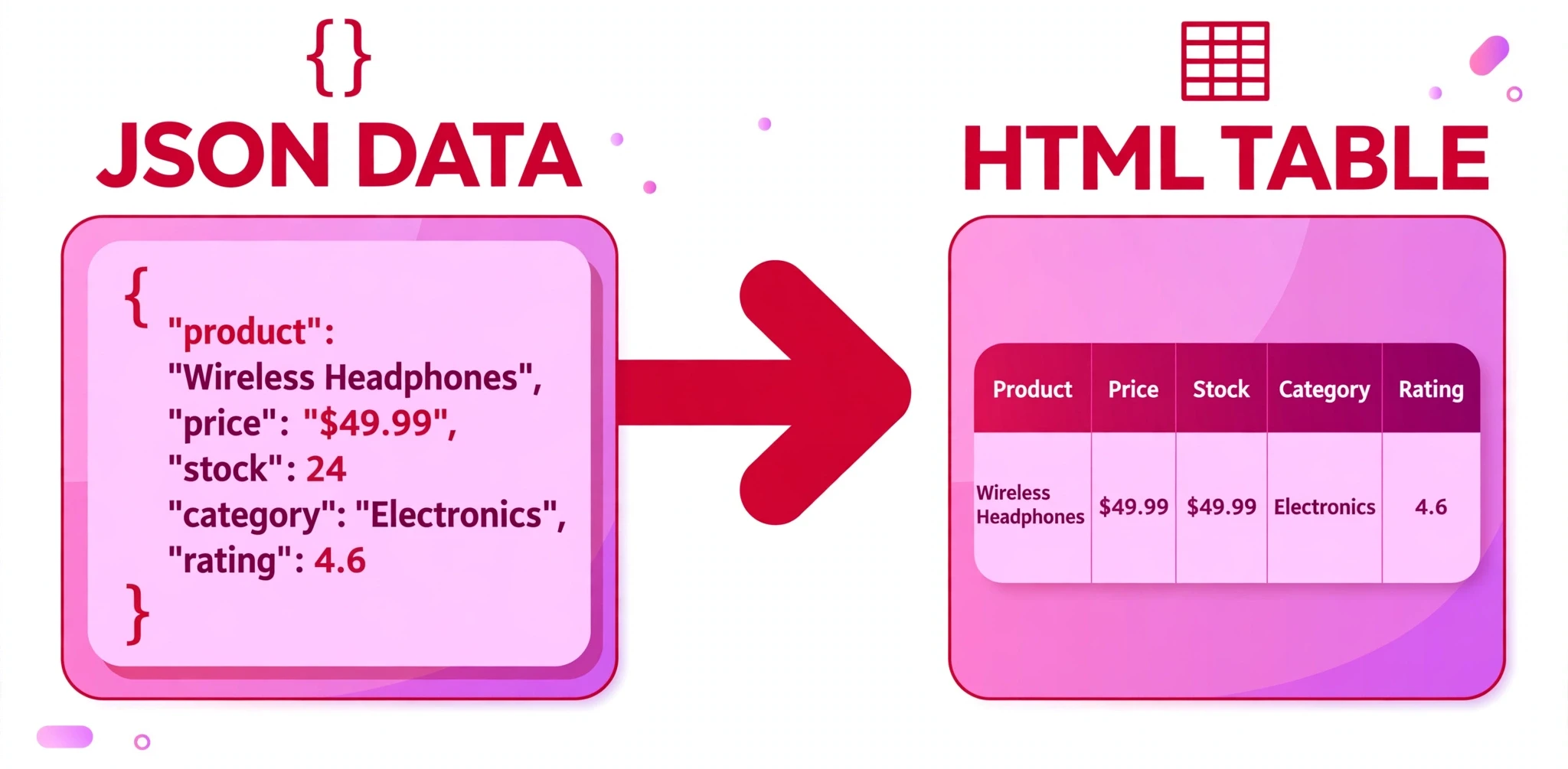
How it converts: an object becomes a table with one row per key, a list with one item per key, or a block of labelled fields. An array of objects becomes a table with one column per key (the headings come from all the keys used); any other array becomes one row or item per value. Nested objects and arrays become nested tables, lists or blocks. Values that look like numbers, true/false or null are tagged in the HTML (data-aah-type) so converting back returns the same types — a string "42" stays a string. Converting back works only for the tables and nested lists this tool produces, not for arbitrary HTML, and an empty table or list converts back to an empty object. Every value is escaped, so pasted text can never run as HTML.
What is the JSON to HTML Converter?
A JSON to HTML converter turns data into a web page: it takes JSON — the format APIs and apps use to pass data around — and renders it as HTML you can display, style, and publish. This free JSON ↔ HTML Converter does that, and it also works in reverse: it reads back the tables and nested lists it produces and turns them into JSON again. One tool, two directions, and a round trip that preserves your data.
It is made for anyone who needs to show data on a page without writing the HTML by hand: students displaying API results, bloggers publishing a data table, and developers building a quick preview of a response.
Here is how it converts. An object becomes a table with one row per key, a list with one item per key, or a block of labelled fields. An array of objects becomes a table with one column per key — the headings come from all the keys used — and any other array becomes one row or item per value. Nested objects and arrays become nested tables, lists, or blocks, so deep data keeps its shape.
The round trip is what makes it trustworthy. Values that look like numbers, true/false, or null are tagged in the HTML with data-aah-type, so converting back returns the same types — a string "42" stays a string, and the number 42 stays a number. And every value is escaped, so pasted text can never run as HTML. Your data is displayed, never executed.
Everything runs in your browser. Your data is never uploaded, stored, or sent anywhere, so you can convert JSON from a private or client project without a second thought.
How to use the JSON to HTML Converter
- Choose the Mode. The dropdown offers JSON to HTML (the default) and HTML to JSON. Pick the direction you need before you paste anything — the input and output labels change to match.
- Choose the HTML format. For JSON to HTML, pick HTML table, Nested HTML list, or Structured HTML blocks. A table suits data with the same keys; a list suits nested or uneven data; blocks suit a single record shown as labelled fields.
- Set the options. Indentation offers 2 spaces, 4 spaces, or a Tab. Add CSS classes (ticked) adds classes to the output so you can style it, and CSS class prefix sets the start of those class names —
aah-jsonby default. Include object keys (ticked) shows the keys, and Include table headings (ticked) adds heading cells to tables. - Paste your JSON into the JSON input box. The tool loads with a sample already in place, so you will see a conversion immediately. Replace it with your own data whenever you are ready.
- Copy or download the result. The output updates as you work. Use Copy to put the HTML on your clipboard, or Download to save it as a file. Load example restores the sample, Clear empties the input, and Reset restores the defaults.
Converting back works only for the tables and nested lists this tool produces — not for arbitrary HTML. An empty table or list converts back to an empty object.
Worked example
With the mode set to JSON to HTML and the format set to HTML table, paste this JSON into the input:
{
  "name": "All About HTML",
  "tagline": "Learn HTML from zero to hero",
  "founded": 2018,
  "free": true
}
The JSON to HTML Converter returns:
<table class="aah-json-table">
  <tr>
    <th class="aah-json-key">name</th>
    <td class="aah-json-value" data-aah-type="string">All About HTML</td>
  </tr>
  <tr>
    <th class="aah-json-key">tagline</th>
    <td class="aah-json-value" data-aah-type="string">Learn HTML from zero to hero</td>
  </tr>
  <tr>
    <th class="aah-json-key">founded</th>
    <td class="aah-json-value" data-aah-type="number">2018</td>
  </tr>
  <tr>
    <th class="aah-json-key">free</th>
    <td class="aah-json-value" data-aah-type="boolean">true</td>
  </tr>
</table>
Each key became a row with its name in a heading cell and its value in a data cell. The classes (aah-json-table, aah-json-key, aah-json-value) are there so you can style the table, and the data-aah-type tags record that 2018 is a number and true is a boolean. Convert that table back with the mode set to HTML to JSON, and you get the same object you started with — the string "42" would still be a string, and the number 42 would still be a number.
When a converter like this earns its keep
Displaying API data on a page. An API returns JSON, but your visitors need to see a table. Paste the response here, choose the table format, and you have HTML you can drop into a page — with headings from the keys and one row per record — instead of writing the table out by hand.
Publishing data in a blog post or report. A dataset as JSON is unreadable to most readers; the same data as a table is immediately clear. Convert it, paste the HTML into your post, and style it with the classes the tool adds. A list or blocks format works better when the data is a single record rather than many rows.
Checking a round trip. When you build something that turns data into HTML and back, you need to know nothing is lost. Convert JSON to a table here, convert the table back, and compare the result with the original.
Tips for getting the best result
Pick the format that fits the shape of your data. An array of objects with the same keys makes a good table, because the headings come from the keys and every record becomes a row. A single nested object reads better as blocks, with each field labelled. An uneven or deeply nested structure usually reads best as a nested list.
Keep “Add CSS classes” ticked. The classes are what let you style the result: .aah-json-table for the table, .aah-json-key for the key cells, .aah-json-value for the value cells. Without them you get plain, unstyled HTML that is harder to make look good.
Remember the reverse direction only reads this tool’s own output. HTML to JSON works on the tables and nested lists this converter produces — not on arbitrary HTML from elsewhere. If you paste in a table from another source, the tool will not know how to read it back. That is a limit of the format, not a bug: the data-aah-type tags are what carry the type information.
Check your types after a round trip. The converter tags numbers, booleans, and nulls so they survive the trip, and a string that looks like a number stays a string. That is exactly the detail that breaks most hand-written converters. After converting back, glance at the result and confirm the types are what you expect.
Use the JSON Formatter first if your data is messy. If your JSON is compressed onto one line, or you are not sure it is valid, run it through the JSON Formatter and Validator before you convert it. Readable, valid JSON converts cleanly; a single missing comma will stop the conversion entirely.
Frequently asked questions
Can I convert HTML back to JSON?
Yes — but only for the tables and nested lists this tool produces. Switch the Mode to HTML to JSON and paste in a table or list the converter generated. Arbitrary HTML from elsewhere cannot be read back, because only this tool’s output carries the data-aah-type tags that record each value’s type.
Does converting change my data?
No. The values are preserved exactly, and the types are preserved too: a number stays a number, a boolean stays a boolean, and a string that looks like a number — "42" — stays a string. An empty table or list converts back to an empty object.
What are the CSS classes for?
They let you style the output. The table gets aah-json-table, key cells get aah-json-key, and value cells get aah-json-value, all starting with the class prefix you set (default aah-json). Write a few CSS rules for those classes and the generated table will match your site.
Is my data uploaded anywhere?
No. Everything runs in your browser, on your own device. Nothing is uploaded, stored, or shared. Private data in your JSON never leaves your computer.
Can pasted text run as code in the output?
No. Every value is escaped before it goes into the HTML, so text can never be interpreted as markup or script. The tool displays your data; it never executes it.
Conclusion
Data wants to be seen, and JSON is not a format people read. The JSON ↔ HTML Converter turns your data into tables, lists, or blocks you can publish — and turns those tables and lists back into the same data, types intact — free, in your browser, with nothing uploaded.
Try it on the tool above, and when your JSON needs tidying before you convert it, run it through the JSON Formatter and Validator first.